 Menu
Menu
What documentation does a SOC 2 audit require? A SOC 2 audit requires three layers of documentation for each control: a policy (your written rule), a procedure (how the rule is executed), and evidence (proof it was followed). Grouped by control area, auditors typically request documents across six categories: foundational/organizational, human resources and personnel, logical access control, change management, risk and vendor management, and security monitoring and incident response. For a Type 2 report, evidence must span the full observation period—typically 6 to 12 months.
For context on how documentation fits into the overall audit process, see how to prepare for your first SOC 2 audit.
SOC 2 is an attestation conducted by a licensed CPA firm under AICPA standards. Your documentation doesn’t just support the audit—it’s the primary way you demonstrate that your controls satisfy the Trust Services Criteria (TSC) your report covers.
What Are the Three Layers of SOC 2 Documentation?

Every SOC 2 control needs three things. An auditor will look for all three:
-
Policies: High-level statements that define your organization’s official stance on security, availability, and the other principles. Example: your company-wide Information Security Policy.
-
Procedures: Step-by-step instructions that explain how your teams implement each policy. A procedure might outline the exact process for onboarding a new engineer, from background checks to granting specific system access.
-
Evidence: Tangible proof that procedures are being followed. Evidence can be a signed offer letter, a screenshot from your HR system showing a start date, or a log file confirming access was granted correctly on a specific day.
How These Three Types Work Together
Here’s how they connect:
| Documentation Type | Purpose | Examples |
|---|---|---|
| Policies | To establish formal guidelines and management’s intent regarding security and operations. | Information Security Policy, Code of Conduct, Risk Management Policy. |
| Procedures | To provide actionable, step-by-step instructions for implementing policies consistently. | Employee Onboarding/Offboarding Process, Incident Response Plan, Change Management Workflow. |
| Evidence | To offer concrete proof that policies and procedures are operating effectively over time. | Signed employee handbooks, system access logs, completed background check reports. |
Together, they build the auditor’s argument: the policy says what you do, the procedure explains how, and the evidence proves you did it.
Why Documentation Standards Have Tightened
According to CBIZ’s 2024 SOC Benchmark Study, 23% of SOC 2 reports contained more than 150 security controls, up from 16% the year before—a 44% year-over-year increase. The complexity isn’t just in control counts. Heading into 2026, auditor expectations shifted at the interpretation level: screenshots and quarterly snapshots are no longer acceptable for controls that can be monitored continuously. Mid-tier audit firms raised SOC 2 Type 2 fixed fees an average of 14% in 2026 compared to 2024, partly to absorb the extra sampling work on manually-collected evidence.
The practical upshot: continuously maintained documentation is cheaper than point-in-time scrambles, both in audit fees and internal time.
What Documents Does a SOC 2 Audit Actually Require?
The table below is the full reference. Auditors organize their requests by control area. Each row shows the specific artifacts they ask for, what each one proves, and who typically owns it. Use this alongside the SOC 2 compliance checklist to track your progress artifact by artifact.
Master Document Reference by Control Area
| Control Area | Required Documents / Evidence | What It Proves | Typical Owner |
|---|---|---|---|
| Foundational | System Description | Defines audit scope and services | Engineering / Product |
| Information Security Policy | Management’s top-level security commitment | CISO / Compliance | |
| Acceptable Use Policy | Rules for company devices, data, and systems | IT / Security | |
| Data Classification Policy | How data is labeled and handled by sensitivity | Security / Legal | |
| Organizational Chart | Defined roles, responsibilities, reporting lines | HR / Legal | |
| Asset Inventory | You know what you’re protecting | IT / SecOps | |
| HR & Personnel | Employee Handbook with signed acknowledgment | Policies communicated and accepted | HR |
| Background check results | Employees vetted before system access | HR | |
| Security awareness training records (annual) | Staff trained on security practices | HR / Security | |
| Onboarding checklist (completed, per employee) | Access granted via formal process | IT / HR | |
| Offboarding checklist (completed, per employee) | Access revoked on termination | IT / HR | |
| Logical Access | Access Control Policy | Least-privilege and RBAC rules documented | CISO / IT |
| Quarterly access reviews (per critical system) | Managers re-certified access every 90 days | System owners | |
| New user access request forms | Every access grant has an approved request | IT | |
| Privileged access logs | Admin and elevated access tracked | SecOps | |
| Change Management | Change Management Policy | Formal approval and testing rules exist | Engineering |
| Sample of approved change tickets (e.g., Jira) | Code review and testing happened before deploy | Engineering | |
| Production deployment logs | Changes tracked with timestamps and approvers | Engineering | |
| Risk & Vendor Mgmt | Annual Risk Assessment Report | Risks identified, assessed, and mitigated | CISO / Compliance |
| Vendor Risk Assessment records (key vendors) | Third-party security evaluated before onboarding | Security / Procurement | |
| List of critical vendors with contract summaries | Vendor obligations documented | Legal / Procurement | |
| Business Continuity / Disaster Recovery Plan | Response to system failures documented | Engineering / Ops | |
| Security Monitoring | Incident Response Plan | Formal process for detecting and responding to incidents | SecOps |
| Security monitoring logs / SIEM alerts | Continuous monitoring in place | SecOps | |
| Annual IR tabletop exercise results | IR plan actually tested under simulated conditions | Security | |
| Penetration test report (annual or per scope change) | External validation of security posture | SecOps / Third party |
Also see: SOC 2 controls list for the full Trust Services Criteria mapping, and SOC 2 readiness assessment to identify gaps before your audit starts.
The Core SOC 2 Policy Set
Most SOC 2 programs run on roughly a dozen written policies. There’s no AICPA-mandated list, but auditors expect to see this set (or your equivalents) for a Security-only report:
- Information Security Policy
- Acceptable Use Policy
- Access Control Policy (template)
- Change Management Policy
- Risk Management / Risk Assessment Policy
- Vendor / Third-Party Management Policy
- Incident Response Policy
- Business Continuity and Disaster Recovery Policy
- Data Classification and Handling Policy
- Data Retention and Disposal Policy
- Encryption / Cryptography Policy
- Human Resources / Personnel Security Policy (background checks, training, on/offboarding)
Adding Availability, Confidentiality, Privacy, or Processing Integrity to your scope pulls in extra policies—a formal SLA and capacity plan for Availability, a privacy notice and consent records for Privacy. Map each policy to the Trust Services Criteria it supports rather than collecting policies for their own sake.
Foundational and Organizational Documents
Before an auditor looks at your firewalls or access controls, they need to understand your business: what you do, who does what, and what you’re protecting. These documents set the scope for the entire audit.
- System Description: A detailed narrative covering your services, infrastructure, software, key personnel, and operational processes. It’s the first thing an auditor reads. A clear one saves everyone time; a vague one generates extra questions.
- Organizational Chart: Defined roles, responsibilities, and reporting lines—a cornerstone of the Control Environment criteria.
- Asset Inventory: A comprehensive list of all information assets—servers, databases, laptops—so auditors can see you know what you’re protecting.
Human Resources and Personnel Management
People are often the biggest risk, and auditors treat HR controls accordingly. They will sample employee files to verify your controls are working, not just documented.
Key evidence required:
- Employee Handbook with Signed Acknowledgment: Proof that every employee received and signed off on the Code of Conduct and Information Security Policy.
- Background Check Results: Evidence that employees and contractors were vetted before receiving system access.
- Security Awareness Training Records: Logs or certificates showing company-wide security training completion—required annually.
- Onboarding and Offboarding Checklists: Completed checklists per employee, proving access was granted and—more importantly—revoked in a timely manner.
A common pitfall: a solid offboarding policy on paper with inconsistent execution in practice. An auditor may request the last five termination tickets to verify access was removed within the SLA your policy defines. If those tickets show delays, it’s an exception regardless of your policy language.
Technical and Operational Controls
This is where you provide tangible proof that security policies are being enforced by your technology and teams. Most of this evidence comes directly from your systems and tools.
Here’s a breakdown of what you’ll need for the most critical areas, with common pitfalls auditors catch regularly.
Common Pitfalls by Control Area
| Control Area | Common Pitfall |
|---|---|
| Foundational | System Description too generic to define audit scope clearly. |
| Human Resources | Offboarding access not revoked within the SLA stated in your own policy. |
| Change Management | Change tickets missing peer review or test results before production deploy. |
| Logical Access | Access reviews done late, or approvals are rubber-stamped without actual verification. |
| Risk Management | Risk assessment not updated annually, or not tied to real business risks. |
| Security Monitoring | Incident Response Plan exists but has never been tested. |
| Vendor Management | Critical vendor onboarded without security due diligence or contract review. |
Now, a closer look at a few control areas where evidence gaps most often result in audit exceptions.
Change Management
- Change Management Policy: Defines how changes are requested, approved, tested, and pushed to production.
- Change Logs and Tickets: A sample of completed change tickets from Jira or similar. Auditors want the full trail: approvals, code reviews, and testing results for recent production changes.
Logical Access Control
- Access Control Policy: Formally documents your commitment to least privilege and role-based access control (RBAC). Also see the SOC 2 access control policy template for a starting point.
- Quarterly Access Reviews: Spreadsheets or system reports proving managers re-certified their team’s access to critical systems every 90 days.
- New User Access Request Forms: Proof every access grant started with a formal, approved request.
Risk Management
- Risk Assessment Report: Updated at least annually. Identifies threats, documents their potential impact, and lists the controls in place to mitigate them. See the SOC 2 risk assessment template for structure guidance.
- Vendor Risk Assessments: Proof you evaluated the security of critical vendors—cloud providers, payment processors, or any third-party data handlers.
Putting this full set together is the core work of SOC 2 prep. For a deeper walk-through of the evidence collection process, see our SOC 2 evidence collection guide.
How to Connect Documentation to the Trust Services Criteria
A folder of policies is only a start. You also have to connect each piece of evidence to the specific Trust Services Criteria (TSC) it satisfies. Without that link, you’re handing the auditor a pile of files and hoping they sort it out. A mapped control matrix tells them where everything lives and signals that you understand your own program.
A Concrete Example: CC6.1 Logical Access Control
Take one of the most common Security TSC controls: CC6.1, which requires logical access security measures to protect against unauthorized access. An auditor won’t accept a policy alone—they need to see it in operation.
Three documents work together here:
- The Policy: Your Access Control Policy states the rules—least privilege, manager approval for all new access, RBAC. This establishes intent.
- The Procedure: A New Hire Onboarding Checklist shows the repeatable steps HR and IT follow to grant access. Policy made operational.
- The Evidence: A completed, signed checklist for a specific employee, with a helpdesk ticket and system log showing the access grant, proves the procedure ran on a real date for a real person.
Link all three to CC6.1 in your control matrix and the auditor has everything they need for that control.
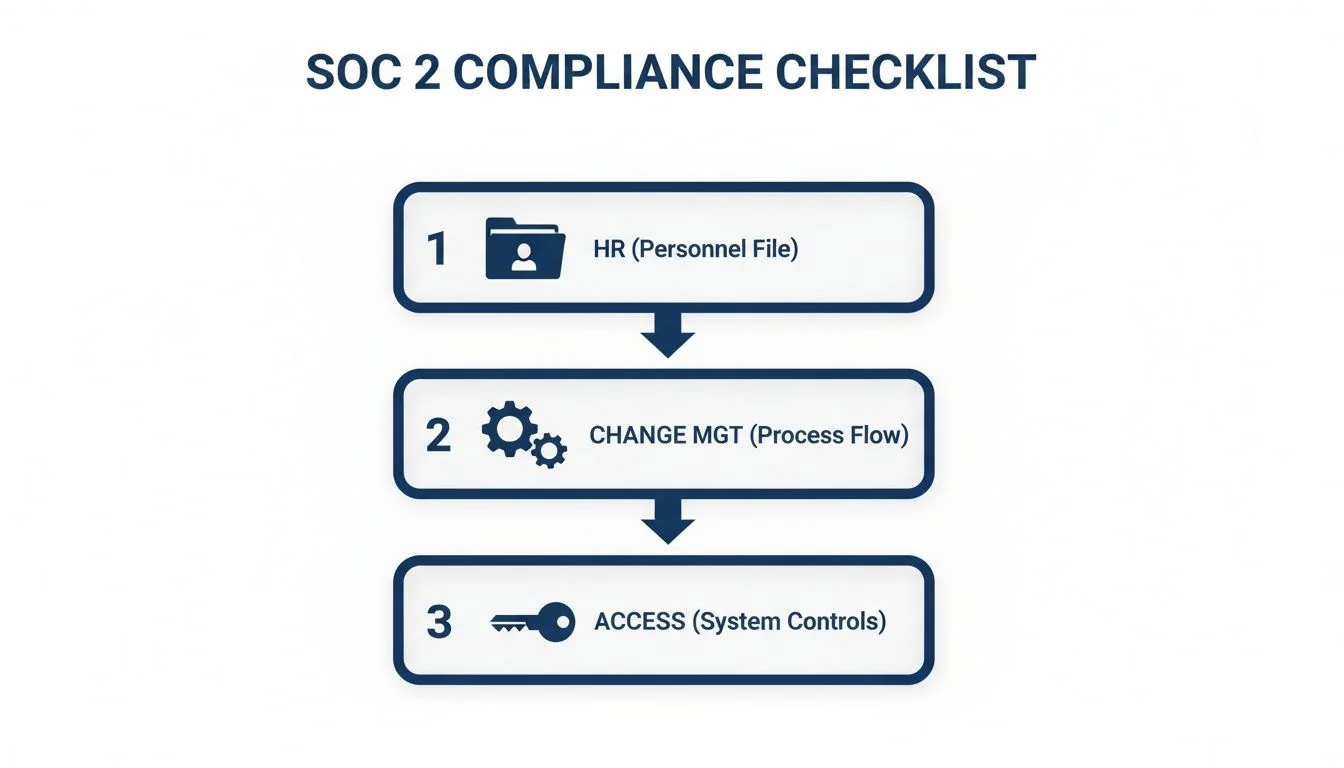
HR, change management, and access control each need their own set of policies, procedures, and evidence—all mapped to specific TSC controls.
Building Your Control Matrix
A control matrix is usually a spreadsheet. It becomes your single source of truth for the audit, aligning every control with the documents that prove it’s working.
At a minimum, include these columns:
- Control ID: The specific control number (e.g., CC6.1).
- Control Description: Plain-English explanation of what the control requires.
- Evidence Location: Direct link to where the artifact lives (Google Drive folder, compliance platform, etc.).
- Evidence Owner: The person responsible for keeping this evidence current.
- Last Review Date: When the evidence was last updated or reviewed.
Building this matrix forces a self-audit. As you map documentation to controls, you’ll find gaps—a vague policy here, missing evidence there. Finding them now is better than the auditor finding them during fieldwork.
This matters particularly if you’re planning multi-framework expansion. A-LIGN’s 2026 Compliance Benchmark Report found 74% of enterprise organizations now conduct four or more audits per year, and 97% conduct at least two. The State of Compliance 2026 (247 real engagements) found 62% of companies add a second framework (ISO 27001, HIPAA, or GDPR) within 18 months of their first SOC 2 certification. A control matrix built from the start to map controls to a shared evidence base makes that expansion manageable—teams that maintain it as a living document can absorb a new framework without rebuilding from scratch.
Should You Use Automation for Evidence Collection?
Manually gathering screenshots, digging through logs, and tracking everything in spreadsheets creates two problems: human error and stale evidence. By the time a pile of manually-collected artifacts reaches your auditor, some of it is already out of date.
The goal is a sustainable, repeatable process—not a one-time scramble.
How Compliance Automation Platforms Work
Modern compliance platforms connect directly to your tech stack, monitor controls continuously, and pull evidence through APIs—so instead of screenshotting an AWS security setting manually, the platform captures configuration data automatically and keeps an unbroken evidence chain. Given that 2026 auditors expect continuous evidence with no gaps across the full observation period, API-driven evidence collection is no longer just convenient—it’s what keeps audit bills from ballooning.
A good platform integrates with:
- Cloud Providers: AWS and GCP are monitored for misconfigurations, keeping security group rules and IAM policies in line with your controls.
- HR Systems: Gusto and similar tools automatically document onboarding and offboarding, confirming access was granted or revoked on schedule.
- Version Control: GitHub and GitLab settings are checked to verify branch protection rules are enforced, providing change management evidence.
Companies that use platforms like Vanta or Drata complete certification roughly 40% faster than those relying on spreadsheets, according to data from 247 compliance engagements in the State of Compliance 2026 report. The compliance automation market reached $1.45 billion globally in 2024 and is expanding at a CAGR of 16.8% through 2033 (A-LIGN 2026 Compliance Benchmark Report). 95% of organizations now use technology during audits. Manual evidence management at scale raises audit fees—auditors bill for the extra sampling work your spreadsheets create.
For a comparison of available platforms, see our guide on SOC 2 compliance software.
Organizing the Non-Automated Work
Even with a compliance platform, some work stays manual. Tools you already use help here:
-
Project Management (Jira, Asana): Manage the audit itself. Create tickets for evidence requests, track control gap owners, and build an auditable trail of compliance activities.
-
Knowledge Bases (Confluence, Notion): All policies and procedures should live in a central, version-controlled wiki. This keeps everyone working from current documents and makes it easy to link policies to the controls they support.
Automated evidence collection plus structured project management removes the last-minute scramble—and produces a cleaner audit report.
Common SOC 2 Documentation Mistakes
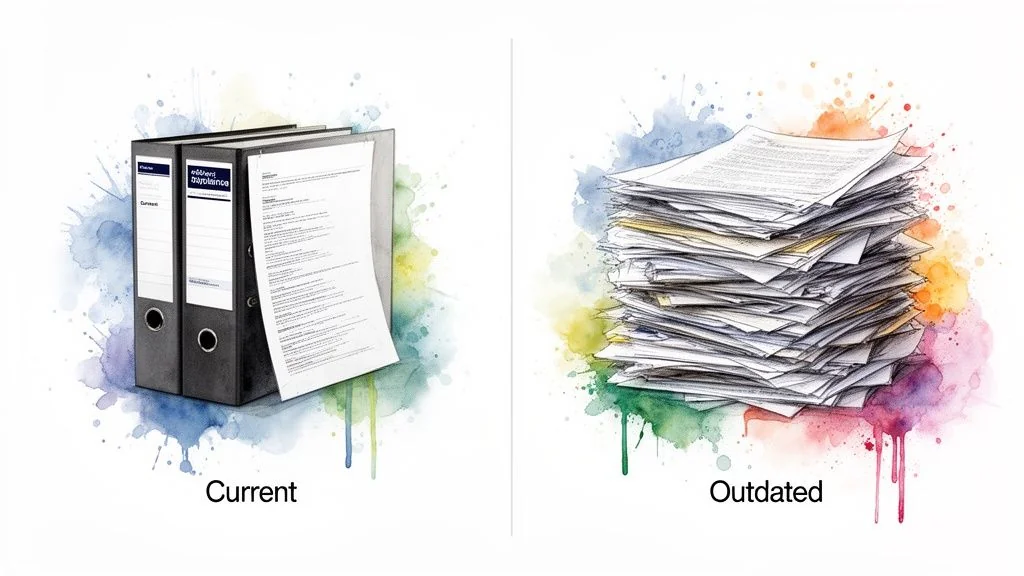
These are the mistakes auditors catch most often. All of them are avoidable.
”Shelfware” Policies
“Shelfware” means policies that look good in a shared drive but don’t reflect what your team actually does. Auditors find these quickly.
Example: your change management policy requires a peer review for every production change. But when an auditor samples your Jira tickets, half the merges have no second reviewer. That gap between policy and practice is an exception.
The fix: write policies that reflect what you actually do. A simpler, accurate policy followed 100% of the time beats an aspirational one that’s regularly ignored. Start with your current workflows, then tighten them.
Stale or Incomplete Evidence
Auditors need proof controls worked throughout the entire observation period, not just on the day you collected a single artifact.
Example: you provide one access review spreadsheet from Q1, but the audit period covers a full year. The auditor immediately asks for Q2, Q3, and Q4 reviews. If you can’t produce them, it’s treated as a control failure for most of the year.
Assign clear ownership for each evidence artifact—engineering manager owns quarterly access reviews, HR owns training logs. A centralized repository with version control keeps everything current and traceable.
Missing Procedural Documents
Teams often have policies but skip documenting the procedures that implement them. Without a documented procedure, auditors can’t confirm a control runs consistently.
Two frequently overlooked documents:
- Annual Risk Assessment Report: Your policy says you do one. Auditors want the actual report—risks identified, their potential impact, and mitigation controls. A policy statement that says “we assess risk annually” doesn’t satisfy this.
- Incident Response Tabletop Exercise Results: An IR plan on paper isn’t enough. You need at least one annual tabletop exercise with documented results: who attended, scenarios tested, findings, and follow-up actions.
Both are required evidence—not optional additions.
SOC 2 Documentation: Frequently Asked Questions
How long should SOC 2 documentation be retained?
The SOC 2 framework doesn’t specify a retention period, but the industry standard is a minimum of three years. Your auditor will focus on the 6-to-12-month observation window for a Type 2 report, but older records demonstrate program maturity over time.
Client contracts or industry regulations (particularly in finance or healthcare) may require longer retention. Create a formal data retention policy that specifies timelines for different artifact types—and treat that policy as its own piece of required SOC 2 documentation.
What’s the difference between Type 1 and Type 2 documentation?
The policies and procedures required are essentially the same. The difference is the evidence.
-
Type 1: Proves controls are designed correctly at a single point in time. Policies, procedures, system descriptions, and point-in-time evidence showing controls are in place on one specific date.
-
Type 2: Proves controls operated effectively over 6 to 12 months. Includes everything in Type 1, plus months of accumulated evidence—logs, access review reports, change tickets, training records—demonstrating consistent operation throughout the period.
For more on how these two report types compare, see SOC 2 Type 1 vs Type 2.
Can we use templates for SOC 2 policies?
Yes—templates are a reasonable starting point. They provide structure and prevent missing critical sections.
The problem is copy-paste without customization. Auditors recognize generic shelfware quickly. Every template must be customized to reflect your actual tools, processes, and environment. Pull in engineering, HR, and ops to verify the final version accurately describes what your team does, not what a generic SaaS company does.
See: SOC 2 access control policy template and SOC 2 risk assessment template for starting points.
How much of our documentation will the auditor actually review?
Auditors work on a sampling basis—they don’t review every artifact. For a control like employee offboarding, they might request termination tickets for five employees chosen from the audit period, not all fifty.
That’s why your evidence repository needs to be complete and organized. Even though they sample, you must be able to produce evidence for any event during the observation period. If an auditor requests a sample and you can’t retrieve it quickly, it signals the control may be failing. Organization is part of the audit signal.
Finding the right auditor matters as much as having the right documentation. SOC2Auditors lets you compare verified CPA firms by pricing and timelines—so you can match to a firm that fits your scope and budget.