 Menu
Menu
You’ve built your controls. Policies are written, MFA is enforced, access reviews are running, and your change management tickets are flowing. Now your auditor is about to begin fieldwork — and the work shifts from implementation to evidence.
This guide is not about how to build SOC 2 controls. If you need that, see our SOC 2 compliance checklist, which covers pre-audit readiness. What you’re reading now is the next step: what auditors actually do during testing, what they’ll ask for in each of the 10 core control areas, and what gets cited as an exception when evidence falls short.
Fieldwork is different from preparation. Your auditor isn’t evaluating whether your policy sounds reasonable. They’re selecting samples, tracing transactions through your systems, and deciding whether your controls operated effectively for every day of the observation period. An 11-month-old access review won’t satisfy a 12-month Type 2 audit. A DR plan with no test results won’t satisfy the Availability criterion. The details matter in ways they don’t during readiness work.
Here’s exactly what to expect — and what to have ready — across all 10 domains.
1. Access Control Policy, Implementation, and User Access Reviews
What the Auditor Tests
Access control fieldwork typically begins with a request for the full population of access changes during the observation period: every provisioning event, every role modification, every termination. From that population, the auditor selects a sample — usually 25 to 40 transactions for a Type 2 — and traces each one.
For a provisioning sample, they’re looking for the approved request (ticket, HR workflow, or equivalent), the date access was granted, and confirmation it aligns with the employee’s role. For a termination sample, they’re looking at the timestamp of the termination event versus the timestamp of access revocation. A gap of more than 24 to 48 hours is often flagged depending on the system’s sensitivity.
They will also test MFA enforcement directly — not by asking whether you have an MFA policy, but by requesting a screenshot of the identity provider configuration showing MFA is required. If MFA is enforced at the application level rather than the IdP, they’ll want screenshots from each application.
Access reviews receive their own testing. The auditor will ask for documentation covering every review cycle completed during the observation period: the reviewer, the date completed, what was reviewed, and the sign-off. A review that happened but wasn’t documented is treated the same as a review that didn’t happen.
Evidence to Have Ready
- Full population export of access changes (provisioning, modifications, terminations) for the observation period, typically from your IAM tool or HRIS
- Terminated employee sample: tickets or workflow records with timestamps, cross-referenced to IAM revocation logs
- Screenshot of MFA enforcement configuration in your identity provider
- Access review records for each quarterly cycle: attendee list or reviewer name, date, systems covered, and manager attestations with signatures or recorded approvals
- Role definitions or RBAC configuration documentation
Common Audit Exceptions
The most frequent finding in this domain is access reviews completed without documented sign-offs. Managers may have verbally confirmed their team’s access, but if the attestation isn’t recorded — whether in a GRC platform, a signed spreadsheet, or a ticket — the auditor has no evidence it happened.
A close second is terminated employee access that wasn’t revoked promptly. Even a single instance where a contractor’s account lingered for two weeks after their last day can result in an exception. Automated deprovisioning tied to your HRIS is the cleanest way to eliminate this risk.
2. Change Management and Configuration Control Procedures
What the Auditor Tests
For change management, the auditor starts by requesting a population of all production deployments made during the observation period. This comes from your CI/CD pipeline logs, deployment tool records, or change management system — wherever you track what was deployed to production and when.
From that population, they select a sample and trace each deployment through your defined workflow. For a typical software company, the trail should run: ticket or task creation → peer review (pull request with approvals) → automated test results → final approval → deployment log entry. If your process includes a staging environment step, they’ll confirm that too.
Emergency changes get separate attention. The auditor will ask whether any changes were deployed outside the standard process during the observation period and, if so, whether those exceptions followed your emergency change procedure — including post-deployment review.
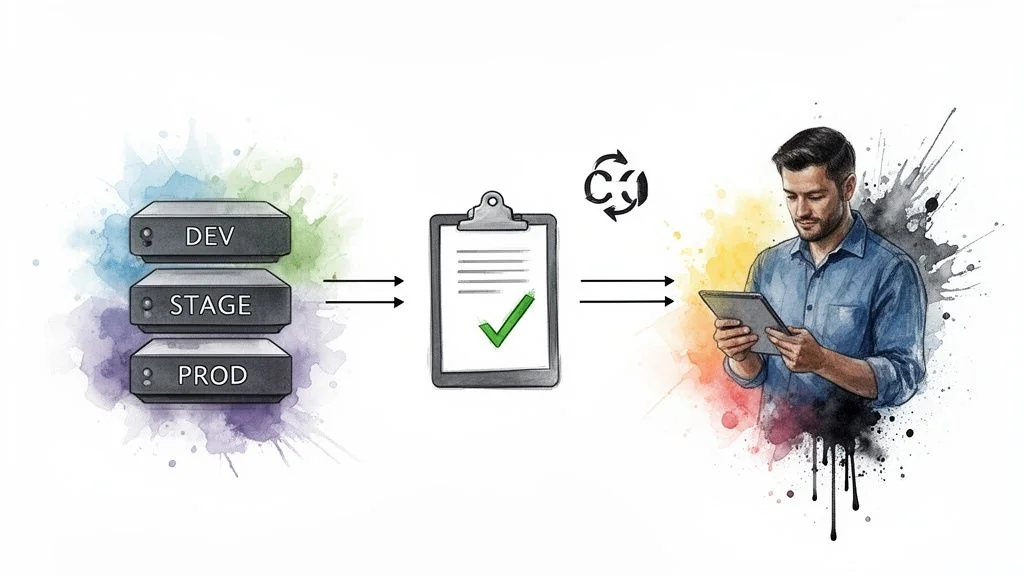
They will also inquire about separation of duties: specifically, whether the engineer who wrote the code is the same person who approved it for production. If a single developer can both commit code and push it to production without any secondary approval, that’s a control gap.
Evidence to Have Ready
- Population export of all production deployments for the observation period (from your deployment tool, CI/CD system, or change ticket log)
- For each sampled change: the originating ticket, pull request with reviewer approvals, test run results, and deployment timestamp
- Documentation of your emergency change procedure, plus any emergency change records from the period with evidence of post-incident review
- Separation of duties documentation showing who can approve production changes
Common Audit Exceptions
The most common exception is emergency hotfixes with no ticket trail. When an engineer pushes directly to production to fix a critical bug at 2am, the fix works, but there’s no ticket, no peer review record, and no post-mortem. Even a retroactively created ticket filed within 24 hours is better than nothing.
The second common finding is change tickets where the approval and the commit come from the same person — typically in small engineering teams where one senior developer handles both code and deployment.
3. Security Awareness and Training Program Documentation
What the Auditor Tests
Training is one of the more straightforward control areas to test, which makes exceptions here particularly visible. The auditor will request a completion report from your training platform covering the full observation period. This report needs to show every employee (and typically every contractor), the training module assigned, and the date of completion.
For a Type 2 audit, the auditor will check that recurring training wasn’t a single annual event that happened to fall within the period — they want to see that training was ongoing. They will also test new hires: for a sample of employees who joined during the observation period, they’ll verify that security training was completed within 30 days of their start date.
Phishing simulations, if part of your program, will be reviewed for cadence and documentation of results. The auditor isn’t grading your click-through rate — they’re confirming the program ran consistently.
Evidence to Have Ready
- Training platform completion report covering the full observation period, including name, role, module completed, and completion date
- New hire training records showing completion dates relative to each employee’s start date
- Contractor training records — this is frequently overlooked and becomes its own audit finding
- Annual security policy acknowledgment records showing every employee signed or clicked through
- If you conduct tabletop exercises: meeting minutes or summary documenting participants and date
Common Audit Exceptions
Contractors not included in training tracking is the most common finding in this domain. Most training platforms are set up for employees only, and contractors — particularly part-time or project-based — get skipped. If contractors have access to in-scope systems or customer data, they need to be in the training records.
New hires completing training at day 45 or day 60 rather than within 30 days also generates exceptions. This usually isn’t intentional — it’s an onboarding workflow that doesn’t automatically enroll people in the training system on day one.
4. Incident Response Plan and Breach Notification Procedures
What the Auditor Tests
For incident response, the auditor wants two distinct categories of evidence: a log of actual incidents that occurred during the observation period, and proof that the incident response plan was tested.
The incident log needs to exist in a formal system — not Slack, not email threads, not tribal knowledge. The auditor will review it for completeness: does each entry have a description of the event, a severity level, the date it was detected, the response actions taken, and a resolution date? They’ll sample individual incidents and look for documentation of the full lifecycle, from detection through remediation.
Testing evidence typically means tabletop exercise minutes. The auditor wants to see that your incident response team ran through a simulated scenario, documented who participated, and captured any gaps or action items identified.
They may also ask about breach notification procedures specifically — do you have a documented process for notifying customers and regulators within defined timeframes, and is there evidence it was followed if any incidents during the period triggered notification requirements?
Evidence to Have Ready
- Incident log from your formal tracking system (not Slack or email) covering the observation period, with severity, detection date, actions taken, and resolution date for each entry
- Tabletop exercise documentation: date, participants, scenario described, and any action items generated
- If any significant incidents occurred: post-mortem or RCA documentation
- Documented breach notification procedure with timelines defined
Common Audit Exceptions
The most common exception is incidents that exist only in Slack channels or email threads. The auditor can’t accept a screenshot of a Slack conversation as a formal incident record. If your team responds to incidents in Slack but doesn’t log them in a ticketing system or dedicated incident management tool afterward, you’ll have documentation gaps.
The second common finding is no tabletop exercise conducted during the observation period, or a tabletop that happened but left no written record. A calendar invite with attendees and a brief summary of what was discussed satisfies this requirement. An undocumented exercise does not.
5. Data Classification and Protection Controls
What the Auditor Tests
Data protection testing focuses less on policy and more on technical configuration. The auditor will ask for screenshots or configuration exports showing that encryption is enabled on your data stores — databases, object storage buckets, backup repositories. For cloud environments, this typically means showing default encryption settings in AWS S3, RDS, or equivalent services.
They’ll also test that your encryption configuration applies to assets created during the observation period, not just legacy systems. A common approach is to pull a list of data stores provisioned in the past 12 months and verify each one has encryption enabled.
Key management is tested separately: the auditor wants evidence that encryption keys are managed through a KMS rather than stored inline, and that key rotation policies are documented and enforced.
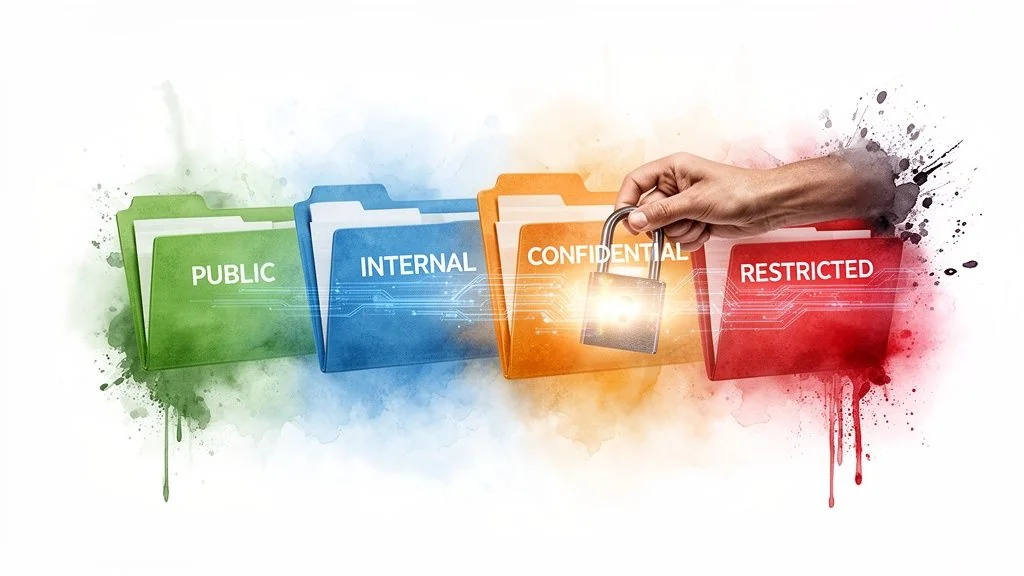
Data retention is tested through documentation of your retention policy and, where possible, evidence that automated deletion rules are in place. If your policy says customer data is deleted 90 days after contract termination, the auditor will ask how that deletion is triggered and whether there’s any logging of the deletions.
Evidence to Have Ready
- Screenshots or configuration exports showing encryption at rest enabled for all in-scope data stores
- List of data stores provisioned during the observation period with encryption status confirmed for each
- KMS configuration showing key management is centralized and key rotation is automated
- Data retention policy documentation
- Evidence of automated retention enforcement (scheduled jobs, lifecycle rules, or deletion logs)
- TLS configuration evidence for data in transit (typically a scan report or certificate management screenshot)
Common Audit Exceptions
The most common exception is new cloud resources created during the observation period that lack encryption. When a team spins up a new S3 bucket for a feature or spins up a dev database, they often don’t follow the standard provisioning checklist. The auditor finds these gaps by comparing the population of data stores against your encryption baseline.
Accepted retention policy exceptions without formal documentation also generate findings. If you’re retaining data longer than your policy states for a business reason, that exception needs to be documented and approved — otherwise it looks like a control failure.
6. Business Continuity and Disaster Recovery Plans
What the Auditor Tests
BC/DR testing is one area where having a plan is not enough. The auditor requires evidence of an actual DR test with documented results. This is almost always the first thing they ask for, and it’s the first thing that’s missing when this control fails.
The DR test documentation needs to show: what scenario was simulated, when the test was conducted, which systems were tested, what the actual recovery times were compared to your defined RTOs, and any gaps or failures identified along with the remediation steps. A test that went perfectly with no findings is fine — but the documentation still needs to exist.
Backup testing is reviewed separately. The auditor will ask when your last backup restore test was performed and what was restored. A backup that has never been tested is not a verified backup.
They’ll also review your current BIA and the RTOs/RPOs defined for critical systems, comparing them against your technical architecture to confirm feasibility.
Evidence to Have Ready
- DR test report from within the observation period: scenario, date, systems tested, actual recovery times versus RTO targets, findings and remediation actions
- Backup restore test documentation showing what was restored, when, and to what environment
- Current BIA with system criticality ratings
- RTO and RPO definitions for all in-scope systems
- Evidence that the BC/DR plan was reviewed or updated within the last 12 months
Common Audit Exceptions
The single most common exception in BC/DR is a well-written plan with no test results. Organizations often invest heavily in drafting the plan and updating it annually but skip the actual test. The auditor cannot accept the plan itself as evidence of operational effectiveness.
Test results that are too vague also generate findings — a summary saying “DR test conducted, systems recovered” without recovery timestamps or comparison against RTOs doesn’t give the auditor enough to work with.
7. System and Network Monitoring, Logging, and Alerting
What the Auditor Tests
Monitoring testing focuses on whether your alerting controls actually operated during the observation period, not just whether they exist. The auditor will ask for your alert log or SIEM query results showing alerts that fired during the period. From that population, they’ll sample individual alerts and look for evidence that each was acknowledged, triaged, and resolved within your defined SLA.
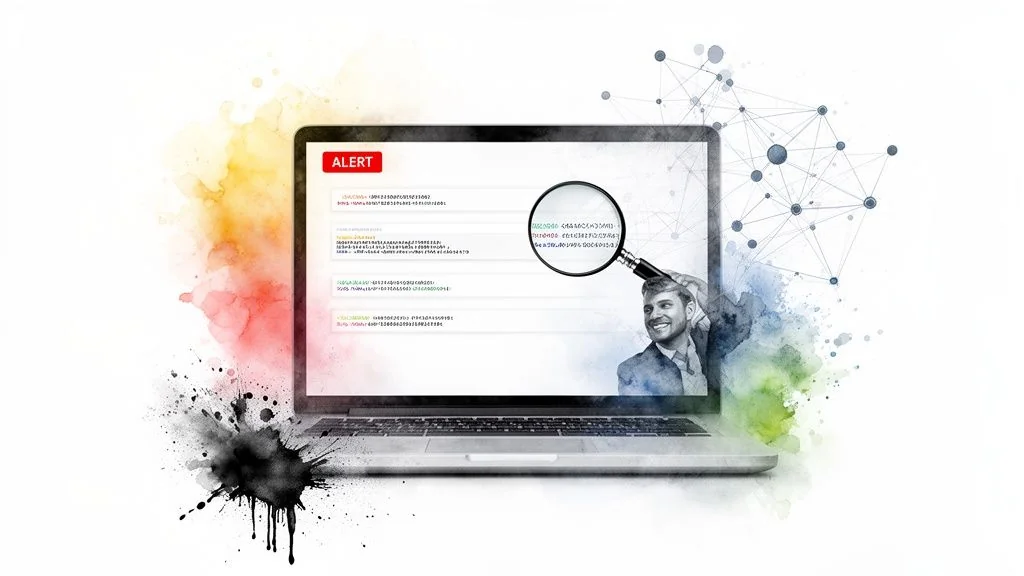
Log retention is tested procedurally and technically. The auditor will verify that logs from the start of the observation period are still accessible and haven’t been purged, and that your retention policy defines the minimum retention period required.
They’ll also review your log coverage: are all in-scope systems forwarding logs to your centralized platform? For cloud environments, this means confirming CloudTrail, VPC Flow Logs, or equivalent are enabled on all in-scope accounts. Missing log sources are a finding even if everything else is correctly configured.
Evidence to Have Ready
- Alert log export showing alerts fired during the observation period, with acknowledgment timestamps and resolution documentation for each
- Evidence of log coverage for all in-scope systems (CloudTrail enabled, SIEM source list, or equivalent)
- Log retention configuration showing retention period meets your defined policy
- Log review records if your control includes periodic manual review (meeting notes, ticket summaries, or analyst sign-offs)
- SLA documentation defining required response times for different alert severities
Common Audit Exceptions
Alerts firing without documented resolution is the most common finding. The alert fired, the team handled it, but there’s no ticket or acknowledgment record in the system. An alert that resolved itself without anyone documenting what happened looks identical to an alert that was ignored.
Gaps in log coverage — typically new cloud accounts or newly deployed services that weren’t connected to the SIEM — are also frequently flagged. This mirrors the encryption gap in data classification: new resources provisioned during the observation period that weren’t covered by existing controls.
8. Vulnerability Management and Remediation Program
What the Auditor Tests
Vulnerability management testing is evidence-intensive. The auditor will request scan reports covering the full observation period — not just the most recent scan, but the history of scans demonstrating your program ran consistently throughout. The scan reports need to be dated, show the scope of systems scanned, and include findings with severity ratings.
The core test is tracing critical and high-severity findings to their remediation. The auditor selects a sample of critical/high vulnerabilities from your scan reports and asks for the corresponding remediation ticket, the date the ticket was created, the date the fix was deployed, and verification that the vulnerability was confirmed resolved in a subsequent scan. If your SLA says critical vulnerabilities must be remediated within 14 days, they’ll check the timestamps.
Penetration test results from within the observation period (or the most recent test if it falls within the look-back window) will also be reviewed. They’ll look for evidence that findings were tracked to remediation.
Evidence to Have Ready
- Vulnerability scan reports for the full observation period showing scan dates, scope, and findings
- Remediation tickets for critical and high severity findings, with creation dates, assigned owners, and resolution dates
- Follow-up scan results confirming remediation was effective (re-scan or rescan report)
- Penetration test report and corresponding remediation tracking
- Risk acceptance documentation for any vulnerabilities formally accepted rather than remediated
- Documented SLAs for remediation by severity
Common Audit Exceptions
The most common exception is vulnerabilities accepted as risk without a formal sign-off. When a critical vulnerability exists in a library that would require significant refactoring to upgrade, teams often informally decide to defer it and move on. The auditor finds this when there’s a vulnerability in scan reports across multiple months with no corresponding remediation ticket and no documented risk acceptance — it looks like the finding was simply ignored.
Remediation SLA breaches — a critical vulnerability open for 30 days when the SLA requires 14-day remediation — generate exceptions even when the vulnerability was eventually fixed.
9. Third-Party and Vendor Risk Management
What the Auditor Tests
Vendor risk testing focuses on the critical tier of your vendor list. The auditor will ask for your vendor inventory or risk register, then select your highest-risk vendors — typically those with direct access to your production environment or customer data — and verify that current, valid SOC 2 reports (or equivalent certifications) are on file for each.
“Current” matters here: a SOC 2 Type 2 report covers a specific observation period, and if that period ended 18 months ago, it’s stale. The auditor will check the report date and the coverage period. For AWS, Google Cloud, or Salesforce, finding current reports is straightforward. For smaller vendors, having an expired report on file is a common gap.
They’ll also review a sample of vendor contracts for key security provisions: breach notification requirements, data handling obligations, and any required certifications. For vendors handling personal data, a Data Processing Agreement should be in place.
Evidence to Have Ready
- Vendor risk register or inventory with risk tier classification
- Current SOC 2 Type 2 reports (or ISO 27001 certificates, or security questionnaires with review sign-offs) for all critical-tier vendors
- Evidence of annual vendor reviews for critical vendors (review date, reviewer, findings)
- Sample vendor contracts showing security and breach notification provisions
- DPAs for any vendors processing personal data
Common Audit Exceptions
The most common exception is a vendor’s SOC 2 report that expired during the observation period. Your major cloud provider renews their report annually, but your database monitoring tool or security vendor might publish on a different cycle, and the report on file is from two years ago. The auditor treats this as a period without verified assurance for that vendor.
A second common finding is critical vendors onboarded during the observation period without a security review — the sales team signed a new data processor and IT wasn’t looped in before the contract executed.
10. IT Asset Management and Configuration Baselines
What the Auditor Tests
Asset management testing has two components: completeness of inventory and evidence of hardening. The auditor will compare your asset inventory against your actual deployed infrastructure — pulling from cloud resource lists, endpoint management tools, or network discovery — and look for gaps. Any in-scope asset that isn’t in the inventory is a finding.
Hardening is tested by selecting a sample of assets and verifying that your configuration baseline was applied. For endpoints, this typically means MDM enrollment records and policy configuration screenshots. For servers or cloud instances, it means comparing configuration to your defined hardening standard (CIS benchmark or equivalent) through a screenshot, compliance scan output, or configuration management tool report.
They’ll also look at how new assets are onboarded: is there a process that ensures every newly provisioned resource gets added to the inventory and has the hardening baseline applied before it enters the production environment?
Evidence to Have Ready
- Current asset inventory covering all in-scope systems: endpoints, servers, cloud resources, network devices
- Cloud resource exports (AWS resource inventory, GCP asset inventory, or equivalent) for reconciliation against your inventory
- Hardening baseline documentation defining your configuration standard for each asset type
- MDM enrollment records and policy screenshots for endpoints
- Configuration compliance scan results or screenshots for server-class assets
- Evidence of the onboarding process for assets provisioned during the observation period
Common Audit Exceptions
New cloud resources spun up during the observation period and not added to the asset inventory is the most common finding in this domain. Development teams or individual engineers provisioning resources outside the standard process — especially in non-production accounts that were later promoted to production — create inventory gaps that the auditor finds when comparing the inventory against a live cloud resource export.
Configuration drift on older assets — systems that were hardened at provisioning but have diverged from the baseline over time — is the second common finding, particularly for organizations without continuous compliance monitoring.
SOC 2 Audit Fieldwork: Evidence and Exceptions Summary
| Control Area | Primary Evidence Type | Testing Method | Common Exception |
|---|---|---|---|
| Access Control | IAM population export, terminated user tickets, access review sign-offs | Sample testing: provisioning and termination transactions | Access reviews completed but sign-offs not documented |
| Change Management | Deployment population, tickets with peer review and approvals | Sample testing: full change lifecycle trace | Emergency hotfixes with no ticket trail |
| Security Training | Training platform completion report, new hire records | Population coverage check, new hire sample | Contractors not included in training tracking |
| Incident Response | Formal incident log, tabletop exercise minutes | Population review, incident lifecycle sampling | Incidents logged in Slack only; no formal system record |
| Data Protection | Encryption configuration screenshots, KMS settings, retention rules | Configuration inspection, new resource sample | New S3 buckets or databases created without encryption enabled |
| BC/DR | DR test report with recovery times vs. RTO, backup restore documentation | Documentation review, RTO/RPO comparison | Plan exists; no test results from the observation period |
| Monitoring & Logging | Alert log with acknowledgment records, log coverage evidence | Alert sample with resolution tracing | Alerts fired with no documented acknowledgment or resolution |
| Vulnerability Management | Scan reports for full period, remediation tickets with timestamps | Finding-to-remediation tracing, SLA check | Vulnerabilities risk-accepted without formal sign-off |
| Vendor Management | Vendor risk register, current SOC 2 reports from critical vendors | Vendor sample, report currency check | Vendor SOC 2 report expired during observation period |
| Asset Management | Asset inventory, cloud resource exports, hardening evidence | Inventory reconciliation, configuration sample | New cloud resources not added to inventory |
Navigating Fieldwork: Practical Logistics
Understanding what auditors test is half the battle. The other half is how you organize and deliver evidence when requests start arriving.
Most audit firms use a shared evidence portal — a secure folder or purpose-built platform where you upload files in response to a numbered request list. Requests arrive in batches. The auditor may send an initial list of 40 to 60 items, then follow-up requests as they review what you’ve provided. Typical fieldwork for a Type 2 audit runs four to eight weeks of active evidence exchange.
A few practices that reduce friction during fieldwork:
Label everything. Files named export_2024.csv create confusion. Files named 2025-access-review-Q3-hr-systems-manager-signoffs.xlsx are self-explanatory. The auditor is reviewing dozens of files across multiple clients; clear naming reduces back-and-forth.
Pre-organize by control area. Before fieldwork starts, create a folder structure that mirrors your controls. When the request list arrives, you can often pull files directly rather than hunting through systems under time pressure.
Log every request and response. Track each request item, the file you uploaded in response, and the upload date. If a dispute arises about whether something was provided, you have a record.
Brief your team before fieldwork starts. Engineers who manage AWS accounts, IT staff who own MDM, and HR contacts who run training completion reports will all receive requests. They should know fieldwork is happening, who the auditor is, and what a normal evidence request looks like before they receive one.
For a deeper reference on the specific artifacts auditors expect, see our guides on SOC 2 controls, SOC 2 documentation requirements, and SOC 2 evidence collection.
Your controls are built. Your evidence should be organized. The final step is selecting an audit firm that matches your size, stack, and timeline. SOC2Auditors provides transparent comparisons of verified audit firms — real pricing and timelines — so you can make that selection with the same rigor you brought to your control program. Visit SOC2Auditors to compare firms and request quotes.