 Menu
Menu

On this page
- Understanding Your Access Control Policy’s Role in SOC 2
- Copy-Usable Policy Skeleton
- Building Your Core Policy Components
- Putting Your Access Control Policy into Practice
- How to Generate Evidence for Your SOC 2 Auditor
- Avoiding Common Access Control Pitfalls
- Maintaining Your Policy for Continuous Audit Readiness
A SOC 2 access control policy sets the rules for how access to systems, data, and facilities is requested, authorized, granted, reviewed, and revoked, so people get only the minimum access their job needs (least privilege). It maps primarily to the Security criteria CC6.1 through CC6.8. Auditors treat it as the primary evidence for the design of your access controls, then test whether you follow it.
This policy supports the Security (Common Criteria) Trust Services Criterion, primarily the logical and physical access controls in CC6.1 through CC6.8. Those criteria come from the AICPA’s 2017 Trust Services Criteria (still current, with revised points of focus issued in 2022) and require entities to use logical access security software, infrastructure, and architectures to restrict access, and to authorize, modify, and remove access in line with documented security policies.
Want the short version? Jump to the copy-usable policy template below. For control design and evidence across CC6, use the Security controls guide, and see the access rows of our SOC 2 controls list for the evidence auditors request. The AICPA Trust Services Criteria resource is the authoritative criteria reference; this template provides example policy wording.
Understanding Your Access Control Policy’s Role in SOC 2
An access control policy is the primary artifact auditors request to assess the design of your access controls, and it shows that management approved a deliberate approach to securing information assets. A good policy answers one question: “How has the entity formally defined its rules for granting, managing, and revoking access to systems and data?”
The policy translates high-level security objectives into concrete, auditable rules, and it gives context to other access evidence such as user lists, configuration screenshots, and system logs. It should cover the whole user lifecycle: onboarding, role-based access assignment, privileged access, and periodic access reviews.
Why Auditors Ask for This Policy
Auditors treat this policy as the rulebook for your access control program. Without it, technical controls like Role-Based Access Control (RBAC) and Multi-Factor Authentication (MFA) have no documented intent or management approval behind them. SOC 2 evaluates both the design of controls (is the policy adequate?) and their operating effectiveness (does the organization follow it?), and the policy is the primary evidence for the design side.
CBIZ’s 2024 SOC Benchmark Study, which analyzed 193 SOC reports, found that SOC 2 reports containing more than 150 security controls rose from 16% to 23% year over year. The same study identified user access review failures as the single most common source of qualified opinions, overtaking business approval exceptions for the first time. A weak or missing access control policy gives an auditor reason to question the control environment.
Connecting Policy Sections to SOC 2 Criteria
Map the policy explicitly to the relevant Trust Services Criteria. The mapping shows an auditor how each clause addresses a specific AICPA criterion, so they can understand the control design and move on to testing its effectiveness.
Auditor’s Perspective: An auditor’s primary objective is to verify that the policy directly addresses the risks and requirements outlined in the Common Criteria (CC) series, particularly CC6. A policy that references these criteria makes that check easier.
Each section of the policy serves as a direct response to a SOC 2 control objective:
- User Provisioning/Deprovisioning: CC6.2 addresses registration and authorization before credentials are issued, and removal when access is no longer authorized. Role-based changes also connect to CC6.3.
- Access Reviews: Reviews support CC6.3 by checking that permissions match roles, least privilege, and segregation of duties. Choose and document the cadence from risk and commitments; quarterly or semi-annual are examples, not fixed AICPA rules.
- Authentication and Least Privilege: Authentication and logical access architecture support CC6.1; role-based authorization and least privilege are addressed specifically by CC6.3.
Mapping Policy Sections to SOC 2 Common Criteria
This table connects the essential clauses of an access control policy to the SOC 2 Common Criteria they help satisfy.
| Policy Section | Relevant SOC 2 Common Criteria | Why It Matters for Your Audit |
|---|---|---|
| Least Privilege & Authentication (MFA) | CC6.1 | Fulfills the requirement to restrict logical access to authorized users and devices and to authenticate them before granting access to protected systems. |
| User Access Provisioning | CC6.1, CC6.2 | Demonstrates a formal, repeatable process for registering and authorizing users before issuing credentials, based on their defined job function. |
| User Access Deprovisioning | CC6.2, CC6.3 | Proves you have a time-bound mechanism to revoke access on termination or role change, preventing orphaned accounts. |
| Periodic Access Reviews | CC6.3 | Provides auditable evidence that you regularly verify access rights and remediate excessive permissions. |
| Physical Access | CC6.4 | Covers badge access, visitor logs, and data-center entry for in-scope facilities. |
| Asset Disposal & Media Sanitization | CC6.5 | Keeps physical assets protected until data and software no longer needed on them have been made unreadable before disposal or transfer. |
| Privileged Access & Boundary Protection | CC6.1, CC6.6 | Shows stricter controls for administrative accounts and protection against access from outside system boundaries. |
| Secure Data Transmission | CC6.7 | Covers encryption and access restrictions for data moving across and beyond your network. |
| Malware & Unauthorized Software | CC6.8 | Requires controls that prevent or detect unauthorized or malicious software, which is part of the access-control family. |
For an organization pursuing a SOC 2 report, the access control policy ties the rest of the audit evidence together. System logs, user-permission screenshots, and termination checklists all reference back to it. A detailed, maintained policy is the first step toward showing that access controls are designed well and enforced consistently.
Copy-Usable Policy Skeleton
Use this outline to define controls your organization can operate, then replace the bracketed values with your systems, owners, and commitments. The AICPA does not prescribe this document format, a universal quarterly review cycle, or a fixed offboarding deadline. Where physical security, disposal, transmission, or software protection live in separate policies, replace the example clauses with specific approved references and owners. Review scope and evidence needs with your CPA firm before approval.
ACCESS CONTROL POLICY

1. Purpose
   Define how access to [Company] information systems, data, and facilities is
   requested, approved, granted, modified, reviewed, and revoked, in line with
   SOC 2 Common Criteria CC6.1-CC6.8.

2. Scope
   List every in-scope system, application, environment, and physical location.
   Example: production AWS accounts [IDs], [Okta], [GitHub], [BambooHR],
   data center at [address]. Avoid "all company systems."

3. Roles & Responsibilities
   - System Owners: approve access to the systems they own.
   - Data Owners: classify data and approve access to sensitive data sets.
   - Access Administrators (IT/Security): execute provisioning and deprovisioning.
   - Managers: request access and attest to it during reviews.
   - Facilities Owners: authorize and review physical access.
   - Asset Custodians: approve retirement and retain sanitization records.

4. Least Privilege
   All access is granted at the minimum level required for the role. Standing
   privileged access is prohibited; elevation is time-bound and approved.

5. Authentication
   - Enforce MFA for [defined user/system populations]; document approved exceptions.
   - Apply [approved password/authentication standard]; SSO via [identity provider].
   - Use phishing-resistant MFA for [risk-selected privileged access].
   - Give service/software identities an owner and scoped machine credentials.
   - Protect secrets and keys under [credential-management procedure].

6. Provisioning (Onboarding)
   Access is assigned from predefined role templates, triggered by [HRIS] on hire,
   and approved by the relevant System or Data Owner before credentials are issued.

7. Modification (Role Change)
   On a role change, prior permissions are revoked before new ones are granted, to
   prevent privilege creep.

8. Deprovisioning (Offboarding)
   Revoke access by [defined risk-based deadline], triggered by [HR/manager
   notification workflow]. Define urgent revocation steps for [high-risk cases].
   Include standalone apps, vendor portals, keys, and physical access, and retain
   notification and completion timestamps.

9. Periodic Access Reviews
   Review user access at [risk-based cadence]; privileged access at [defined cadence].
   [Authorized reviewers] compare actual permissions with approved responsibilities.
   Retain the population, decisions, dates, and completed remediation records.

10. Privileged & Administrative Access
    Admin access requires named accounts (no shared logins), separate approval,
    and session logging.

11. Boundary Protection, Remote Access & Data Transfer
    Restrict external access through [approved boundary controls and remote-access
    methods]. Document permitted connections and review them at [defined cadence]
    and after material changes. Vendor access has an owner, scope, and expiry or
    review process. Authorize and protect information transfers under [data-transfer
    policy], including approved methods and protections for sensitive data.

12. Physical Access
    [Facilities Owner] approves access to [in-scope facilities and asset locations].
    Apply [badge/key and visitor procedures], review access at [defined cadence],
    and revoke it when no longer authorized. Retain approvals and access records.
    Review provider-operated controls and retained customer responsibilities under
    [provider assurance review procedure].

13. Asset Disposal & Media Sanitization
    Keep retired assets protected until data/software no longer required on them
    are made unreadable using [approved media-appropriate method]. Before reuse,
    return, sale, or disposal, [Asset Custodian] checks retention requirements,
    authorizes sanitization, verifies the result, and records the asset identifier,
    method, date, performer, verification, and final disposition.
    Follow [asset-disposal policy] for provider handling and custody records.

14. Malicious & Unauthorized Software
    Apply [approved software restrictions and detection controls] to [in-scope
    device/system population]. [Security Owner] tracks coverage, investigates
    alerts, and records remediation under [endpoint/software-protection policy].

15. Logging & Monitoring
    Capture successful/failed logins, permission changes, and account
    creation/deletion across in-scope systems (supports CC7.2).

16. Enforcement & Exceptions
    Violations are subject to [disciplinary process]. Exceptions require documented
    risk acceptance and a defined expiry, approved by [CISO/Security lead].

17. Review & Ownership
    Policy owner: [role]. Reviewed at [defined cadence] and after material changes.
    Version, approval date, and approver recorded.
Treat this as a framework, not a fill-in-the-blank document. The sections below explain what each one needs to satisfy an auditor.
Building Your Core Policy Components
Each component below needs to reflect your actual technology stack, data classifications, and workflows. A policy copied verbatim from a template fails on two counts: auditors spot the generic language, and it does not protect your real systems. For how these controls fit alongside the rest of your program, see our SOC 2 security controls overview and the full Trust Services Criteria reference.
The first component is the policy’s scope. This section must explicitly enumerate every system, application, database, network device, and physical location it covers. Vague language like “all company systems” is a red flag for auditors, as it suggests a lack of asset inventory and control. A SOC 2-ready scope statement must be specific.
An auditor-ready scope definition looks like this:
- Production Environment: All AWS resources within VPCs tagged ‘Production’, including EC2 instances, RDS databases, and S3 buckets containing customer data.
- Corporate Systems: The organization’s instances of Salesforce (Org ID: XYZ), Okta, and the internal HRIS platform, BambooHR.
- Physical Locations: The primary data center at [Address, Cage Number] and the corporate headquarters at [Address].
This level of detail shows an auditor that you have a complete inventory of critical assets and understand the boundaries of the control environment. It also defines what is in scope for testing.
Defining Roles and Responsibilities
This section of the policy must assign ownership for every part of the access management lifecycle. Define roles, not named individuals, responsible for authorizing, administering, and reviewing access.
Key roles to define for SOC 2 purposes include:
- System Owners: Individuals or teams accountable for a specific system or application (e.g., Head of Engineering for the production platform). They are the final approvers for access requests to their designated systems.
- Data Owners: Business leaders (e.g., CFO for financial data) responsible for classifying data and approving access to sensitive information sets under their purview.
- Access Administrators: IT or security personnel responsible for the technical implementation of access changes, such as provisioning and deprovisioning accounts based on authorized requests.
Without these clearly defined roles, access management becomes ad-hoc, increasing the risk of inconsistent approvals and unauthorized access. More details on structuring these responsibilities can be found in our overview of essential SOC 2 controls.
Implementing Least Privilege Access
The policy must not only state the principle of least privilege but also define the mechanisms that enforce it, so that a high-level principle becomes a testable control.
For example, a specific policy clause could state:
“Access to production AWS environments for developers is restricted to read-only permissions by default. Elevated privileges, such as write access to specific services, require a time-bound request via a JIRA ticket, must be approved by the designated System Owner, and are automatically revoked after 8 hours.”
An auditor can request a sample of JIRA tickets and corresponding system logs to verify that this control is operating effectively.
Managing The Full User Lifecycle
A policy should cover the entire user access lifecycle. Registration, authorization, and removal support CC6.2; role-based permission changes also support CC6.3.
Onboarding: The policy must mandate that access is granted based on pre-defined role templates. For example, a “Support Engineer” role in an identity provider like Okta would automatically provision access to Zendesk and JIRA, but not to production databases. This demonstrates a systematic approach to granting initial access.
Modifications: When an employee changes roles, the policy must require a formal process to revoke old permissions before granting new ones. This prevents “privilege creep,” where users accumulate unnecessary access over time, a common audit finding.
Offboarding: Define the revocation trigger, responsible owner, and deadline based on access risk and your commitments. High-risk departures may warrant immediate revocation. Track all access paths and retain notification and completion timestamps. HR-linked automation can help, but verify that it covers accounts, keys, and physical access outside SSO.
Document each component in enough detail that it can guide technical implementation and stand as direct evidence for an auditor.
Putting Your Access Control Policy into Practice
An access control policy remains a theoretical document until it is translated into operational technical controls. For a SOC 2 auditor, a policy that is not enforced is equivalent to no policy at all. They must see evidence that the rules defined in the policy are actively restricting access, monitoring activity, and protecting customer data.
User access review failures were the most common source of qualified opinions in the CBIZ study cited above, and issues such as shared administrative accounts or overly permissive roles contradict the policy’s intent. According to Tenable’s 2025 Cloud Security Risk Report, 83% of AWS organizations use an identity provider to manage cloud identities, yet overly permissive defaults and standing excessive permissions continue to expose them to identity-based threats. Separately, Wiz Research found that 72% of cloud environments have publicly exposed PaaS databases lacking sufficient access controls. Auditors test for these patterns directly.
From Policy to Identity Provider Configuration
Your Identity and Access Management (IAM) tool or identity provider (IdP), such as Okta or Azure AD, is the primary mechanism for enforcing your policy. This is where you configure Role-Based Access Control (RBAC) to mirror the roles defined in your policy document. Instead of granting permissions on an ad-hoc basis, you create profiles like “Developer,” “Sales Ops,” or “Customer Support” with pre-defined, approved access levels.
For example, a “Developer” role in Okta should automatically grant access to Jira, GitHub, and a specific read-only role in your AWS staging environment. This is a direct implementation of the principle of least privilege. For your SOC 2 audit, you will need to provide screenshots of these role configurations as evidence that your policy is being technically enforced.
Automating User Provisioning and Deprovisioning
Manual user account management is prone to error and inconsistency, which are significant red flags for auditors. A common approach is to integrate the IdP with a Human Resources Information System (HRIS), like Workday or BambooHR, to automate workflows.
When HR onboards a new hire in the HRIS, an automated trigger provisions their account in the IdP and assigns the correct role based on their job title. This removes manual steps and leaves a consistent, auditable trail.
Evidence check: Compare the HR termination or contract-end population with revocation records across every in-scope system. An automated HR trigger is useful only when the resulting removal is complete and meets your documented deadline.
To ensure these processes are followed, providing effective training in compliance is essential. All employees must understand their responsibilities under the access control policy.
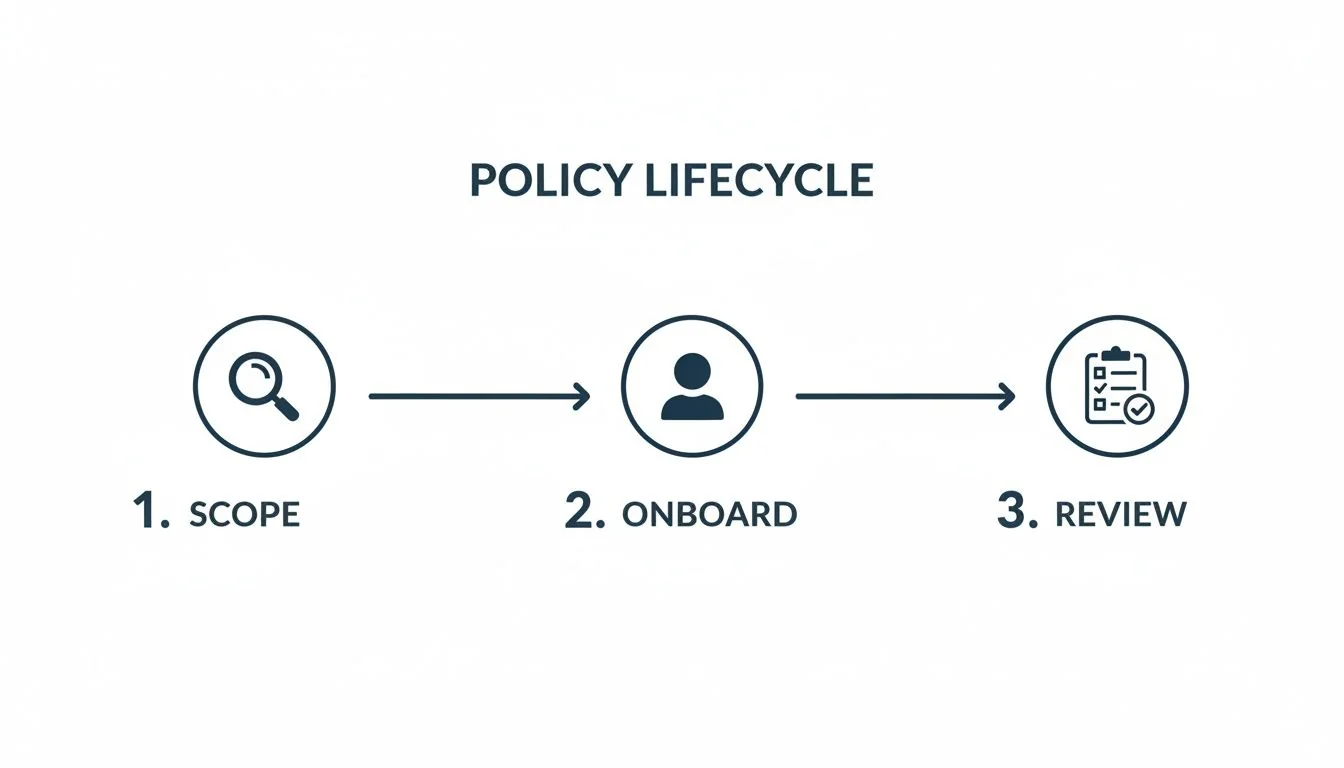
This entire process is cyclical, not a one-time configuration. You scope access needs, onboard the user, and then conduct regular reviews to ensure ongoing alignment.
Configuring an Audit Trail
Your policy must mandate comprehensive logging and monitoring, and your technical infrastructure must deliver it. This is how you show that your controls operate effectively over time, which a SOC 2 Type 2 report requires. You must configure systems to capture all significant access events.
For your SOC 2 audit, you will need to provide evidence of:
- Successful and failed login attempts across all in-scope systems.
- Changes to user permissions, especially escalations of privilege.
- Creation and deletion of user accounts, with a particular focus on administrative accounts.
Tools like Splunk, Datadog, or native cloud services like AWS CloudTrail must be configured to centralize these logs. This audit trail is evidence for criteria like CC7.2, which covers the monitoring of systems to detect security events. See SOC 2 logging and monitoring controls for how to build that trail.
Automated configurations reduce human error and give your auditor verifiable evidence.
How to Generate Evidence for Your SOC 2 Auditor
For a SOC 2 audit, an access control policy is meaningless without verifiable evidence of its implementation. Evidence generation is the process of collecting tangible artifacts that prove your documented controls are operating effectively.
Auditors work on a “verify, then trust” principle. They require specific, objective artifacts, such as system configurations, logs, reports, and signed attestations, that directly substantiate the claims made in your policy. The goal is to show that your access controls were consistently enforced throughout the audit period, which a SOC 2 Type 2 report requires.
Key Evidence Categories for Access Controls
A successful SOC 2 audit requires a well-organized evidence package where each artifact is clearly mapped to a specific control. Auditors expect a mix of evidence types.
The primary categories an auditor will request include:
-
Configuration Screenshots: These are point-in-time snapshots showing how systems are configured to enforce policy rules.
- SOC 2 Example: A screenshot from your identity provider (e.g., Okta or Azure AD) displaying the permission set for a “Junior Developer” role, demonstrating the principle of least privilege.
- SOC 2 Example: A screenshot from AWS IAM showing the policy that enforces MFA for all administrative accounts, providing direct evidence for an authentication control.
-
System-Generated Logs and Reports: This evidence is objective, timestamped, and difficult to dispute.
- SOC 2 Example: An export from your HRIS listing employee termination dates. The auditor will cross-reference this with access revocation logs from your IdP to verify timely deprovisioning as required by CC6.2.
- SOC 2 Example: SIEM logs showing successful and failed login attempts, which demonstrates active monitoring as mandated by CC7.2.
-
Process Documentation and Records: This category provides evidence of human-led processes, showing that documented procedures are being followed consistently.
- SOC 2 Example: A completed access review spreadsheet or a report from a GRC tool, signed and dated by department heads. This is concrete proof that the periodic review required by CC6.3 occurred.
- SOC 2 Example: A sample access request ticket from a system like Jira or ServiceNow, showing the full approval workflow from request to manager sign-off to IT fulfillment.
- Physical Access (CC6.4): Badge approvals, access-review decisions, visitor records, and documented review of relevant provider controls.
- Asset Disposal (CC6.5): Retirement approvals and sanitization records linked to asset identifiers, including verification and custody records where applicable.
Organizing Your Evidence for a Smooth Audit
How you present evidence matters almost as much as the evidence itself. A disorganized collection of files tends to produce a longer audit with more follow-up requests. Make the auditor’s verification as straightforward as possible.
One approach is to create a logical folder structure in a secure repository (e.g., Google Drive, SharePoint) or a GRC platform, mapping directly to the SOC 2 criteria:
- CC6.1 - Access Control
RBAC_Configuration_Okta.pngMFA_Enrollment_Report_Q3.csv
- CC6.2 - User Onboarding & Offboarding
Q3_New_Hire_Access_Grants.pdfQ3_Terminations_Access_Revocation_Logs.csv
- CC6.3 - Periodic Access Reviews
Finance_Dept_Access_Review_Q3_Signed.pdfEngineering_Dept_Access_Review_Q3_Signed.pdf
- CC6.4 - Physical Access
Facility_Access_Review_Signed.pdf
- CC6.5 - Asset Disposal
Asset_Sanitization_Verification_Register.csv
Auditor Tip: Use descriptive file names. A file named
AWS_MFA_Enforcement_Rule_CC6.1_evidence.pngis far more useful to an auditor thanscreenshot123.png.
For the complete evidence requirements, see our guide to SOC 2 documentation.
Well-organized evidence is what shows an auditor that your written rules are actually operating controls.
Avoiding Common Access Control Pitfalls
A well-written SOC 2 access control policy does not help if its implementation is flawed. These pitfalls are compliance gaps and security vulnerabilities, and they typically arise when day-to-day practice drifts from policy requirements.
They often lead to audit findings or qualifications in the final report, because an auditor tests whether controls operate effectively in practice, not just on paper.
Privilege Creep
A frequent finding in SOC 2 audits is privilege creep, the gradual accumulation of excessive access rights by users over time. This occurs when an employee changes roles or is granted temporary permissions that are never revoked. This directly violates the principle of least privilege, a cornerstone of CC6.1.
For a SOC 2 audit, an auditor will test for this by sampling employees who have been with the organization for an extended period. They will compare the user’s current access permissions against their documented job description. Any discrepancies, such as a developer retaining permissions from a previous support role, constitute an immediate control failure.
To mitigate this risk, the policy must mandate and enforce rigorous periodic access reviews. For these reviews to be effective for a SOC 2 audit:
- Make Managers Accountable: The review must be conducted and attested to by the employee’s direct manager, who is best positioned to validate access needs.
- Automate Evidence Collection: Utilize a GRC platform or identity management tool to automate the review process, creating a clear audit trail of every approval and revocation.
- Review on Your Defined Cadence: Reassess actual permissions against current responsibilities, with risk-appropriate treatment of privileged access and documented remediation.
Incomplete Offboarding
Another pitfall is incomplete user deprovisioning. Revoking Single Sign-On (SSO) access is not sufficient. SOC 2 auditors are aware that access to standalone applications, third-party vendor portals, or legacy systems not integrated with the primary identity provider is often overlooked. This directly violates CC6.2, which requires the timely removal of access upon termination.
An auditor will test this control by taking the list of terminated employees from the audit period and actively searching for any remaining active accounts. Discovering even one active account constitutes a clear control failure.
Deadline check: SOC 2 does not prescribe one universal number of minutes or hours for offboarding. Define a deadline appropriate to the access risk and your commitments, then retain evidence that it was met. A delay requires evaluation against the control as written and its potential impact.
The offboarding checklist must be comprehensive, covering all systems from cloud infrastructure to marketing’s social media scheduler. From an audit perspective, the strongest control is an automated process linked directly to the HR system.
Mismanaging Third-Party and Shared Accounts
Granting access to third-party vendors and contractors creates significant risk if not managed correctly. These users are often given overly broad permissions with insufficient oversight. Even more problematic are shared or generic accounts like admin@company.com or dev-team@. These accounts destroy individual accountability, making it impossible for an auditor to determine who performed a specific action. This is a red flag for auditors. Our SOC 2 vendor management requirements guide covers the vendor side.
Access control is hard to get right because you have to enforce one policy across many different systems. CBIZ’s 2024 SOC Benchmark Study found that security control counts in SOC 2 reports ranged from 34 to over 150, with the most common range between 34 and 74 controls (45.2% of reports). The same study noted that 54.9% of reports contained at least one control exception, and user access review failures were the leading driver of qualified opinions. For the broader set of controls these policies map to, see our SOC 2 controls list.
Address these before the audit by enforcing the policy through automated, auditable controls.
Maintaining Your Policy for Continuous Audit Readiness
The SOC 2 access control policy needs regular review and updates to reflect the current state of the organization. An outdated policy is a red flag for auditors because it suggests the compliance program is not being actively maintained.
Auditors expect evidence of ongoing maintenance. A policy that has not been updated in over a year suggests controls may no longer match the business’s technology, personnel, or risks.
Establishing a Formal Review Cadence
Set a scheduled review process so the policy does not become obsolete. A common practice for SOC 2 readiness is a comprehensive policy review at least annually, involving security, IT, HR, and legal.
The annual review should:
- Validate Scope: Confirm that the policy covers all current in-scope systems, applications, and data. If new critical SaaS tools have been adopted, they must be added.
- Update Roles: Revise role definitions and responsibilities to reflect any organizational changes, ensuring that designated “System Owners” are still appropriate.
- Incorporate New Technologies: Adjust policy language to address new authentication methods or technologies that have been implemented.
- Address Past Findings: The policy must be updated to explicitly address any findings or observations from the previous audit.
Integrating the Policy into Company Culture
A policy only works if employees understand and follow it. Training and acknowledgment records are evidence that the rules are known.
Auditors look for evidence that a company operates by its policy, not just that it has one. Ongoing training records and employee attestations are part of that evidence.
To embed the access control policy into the employee lifecycle, organizations pursuing SOC 2 should:
- New Hire Onboarding: Require every new employee to review and formally acknowledge the policy as part of their initial training. This creates an auditable record of awareness.
- Annual Security Training: Include a refresher on the access control policy in the mandatory annual security awareness program.
- Manager Training: Ensure managers are trained on their specific responsibilities for enforcing the policy, particularly in approving access requests and conducting periodic reviews for their teams.
A documented history of policy updates, completed access reviews, and employee training is concrete evidence that your controls work over time, not just on paper. It should also make each annual audit faster. If your team lacks the capacity to write and enforce the policy, a SOC 2 readiness firm can help.
At SOC2Auditors, we connect you with verified audit firms that match your budget, timeline, and industry needs. Get your tailored auditor matches today.
More in Audit Preparation