 Menu
Menu
SOC 2 logging and monitoring controls are the technical and procedural mechanisms an organization implements to create, collect, and review auditable records of system events. These controls are designed to detect unauthorized activities, troubleshoot operational issues, and provide verifiable evidence that the organization’s security policies are operating effectively. This evidence is a foundational requirement for demonstrating compliance with the AICPA’s Trust Services Criteria, particularly those related to security, availability, and confidentiality.
Understanding Core SOC 2 Requirements for Logging
For a SOC 2 audit, logging and monitoring are not optional; they are the primary source of evidence that proves your security controls are functioning as intended. Without verifiable logs, an organization cannot demonstrate to an auditor that it is actively managing its security posture or meeting its commitments to customers. This entire process is designed to support several of the AICPA’s Trust Services Criteria (TSC), which are the official standards you’re evaluated against. For someone pursuing SOC 2, effective logging and monitoring provide the tangible evidence needed to pass the audit, moving security claims from “trust us” to “here is the proof.”
Key Trust Services Criteria Involved
Auditors use the SOC 2 Trust Services Criteria to assess the effectiveness of your controls. Your logging and monitoring strategy must directly address these requirements.
- CC7.1 (Monitoring System Components): This criterion requires the entity to monitor control-relevant information to evaluate if systems are operating as intended. Why this matters for SOC 2: Auditors need to see evidence that you are actively monitoring network devices, servers, and applications to detect anomalies or changes that could impact your service commitments. Your logs are that evidence.
- CC7.2 (Monitoring to Detect Changes): This criterion requires the entity to monitor for changes to system configurations and data that could be unauthorized. Why this matters for SOC 2: Your logs must provide a clear audit trail of who changed what, where, and when. Without this, you cannot prove that critical configurations, such as firewall rules or user permissions, have not been maliciously or accidentally altered.
- CC7.3 (Incident Response Plan): This criterion requires the entity to have a process for evaluating and responding to security incidents. Why this matters for SOC 2: Logs are the foundation of any incident investigation. Auditors will examine your incident response records to ensure your logs provide sufficient detail to identify, contain, and remediate security events effectively.
To an auditor, a system without logs is a black box. They have no way to verify that your security controls have been working effectively over the last six months. Proper logging turns that black box into a transparent, trustworthy record of your security posture.
Ultimately, these controls are about building a detailed narrative of what’s happening inside your IT environment. They allow you to answer an auditor’s tough questions, like “How do you prove no unauthorized personnel accessed this sensitive customer data?” or “What is your process for detecting a critical system failure?” For any team preparing for a SOC 2 audit, mastering SOC 2 logging and monitoring controls is non-negotiable. A well-designed strategy is the most direct path to proving your controls are operating effectively and achieving a successful audit outcome.
Mapping Your Logs to SOC 2 Trust Services Criteria
Simply collecting terabytes of log data is insufficient for a SOC 2 audit. You must be able to demonstrate a clear and direct link between your log sources and the specific SOC 2 criteria they support. This process, known as control mapping, transforms raw data into compelling audit evidence. Why this matters for SOC 2: An auditor’s job is to verify that your controls meet the AICPA’s criteria. By proactively mapping your logs, you provide them with a clear, easy-to-follow roadmap, significantly streamlining the audit process and demonstrating a mature compliance program. For example, firewall logs showing blocked ingress traffic directly support CC6.6 (Preventing Unauthorized Access), while IAM logs detailing failed admin login attempts provide evidence for CC6.1 (Logical Access Security).
Connecting Log Sources to Common Criteria
The goal is to draw a straight line from a log source to the control it supports. This proactive mapping serves as your compliance blueprint, ensuring that from day one, your teams are collecting the right evidence. This is increasingly important as SOC 2 reports become more complex; a recent benchmark study found that 23% of reports now include over 150 security controls, up from just 16% the previous year. Logging is foundational for demonstrating the operational effectiveness required for a Type II audit, not just for the Security criterion but also for Availability (appearing in 75.3% of reports) and Confidentiality (64.4% of reports).
An auditor won’t connect the dots for you. Tossing a folder of raw CloudTrail logs at them creates friction and doubt. Instead, you need to hand them a map that says, “Here are our CloudTrail logs, and they directly demonstrate our compliance with CC7.2 by monitoring for unauthorized configuration changes.”
A Practical Blueprint for Mapping Evidence
To make this tangible, create a control mapping matrix. This document becomes the single source of truth for both your internal teams and the external auditor, detailing which logs prove which controls, where they are stored, and their review frequency. This organized approach simplifies evidence collection during the audit period. For a deeper dive into the requirements themselves, you can read our detailed guide on the SOC 2 Trust Services Criteria.
The table below provides a practical starting point for your mapping document, showing how common log sources connect directly to the Common Criteria (CC) points they help satisfy.
Mapping Log Sources to SOC 2 Trust Services Criteria
This table breaks down how specific log sources provide the exact evidence auditors need to see for key Common Criteria. Use it as a template to build your own audit-ready documentation.
| Log Source Category | Specific Log Examples | Primary SOC 2 Common Criteria (CC) Supported | Why It Matters for Auditors |
|---|---|---|---|
| Cloud Infrastructure | AWS CloudTrail, Azure Activity Logs, Google Cloud Audit Logs | CC7.2 (Change Detection), CC6.3 (Authorization Changes) | Provides an immutable record of all API calls, showing who changed what and when. It’s the ultimate proof of oversight. |
| Identity & Access (IAM) | Okta System Log, Azure AD Sign-in Logs, IAM Access Analyzer | CC6.1 (Logical Access), CC6.2 (Authentication), CC6.5 (Access Removal) | Demonstrates that you’re enforcing MFA, tracking failed logins, and—critically—verifying that terminated employees had their access revoked on time. |
| Network & Firewall | VPC Flow Logs, Firewall Rule Logs, WAF Logs | CC6.6 (Preventing Unauthorized Access), CC7.1 (Monitoring Components) | Shows that network segmentation is actually working and that you’re identifying and blocking malicious traffic at the perimeter. |
| Application & OS | Application error logs, sudo logs, Windows Event Logs | CC7.3 (Incident Response), PI1.1 (Processing Integrity) | This is your evidence for application health, unauthorized privilege escalations, and the system-level events needed for any forensic analysis. |
| Database | Database query logs, audit logs, access logs | C1.2 (Confidentiality), CC6.1 (Logical Access) | Proves that only authorized users are accessing or modifying sensitive data and helps you spot potential data exfiltration before it becomes a breach. |
| Vulnerability Management | Vulnerability scan results, agent logs (e.g., AWS Inspector) | CC7.1 (Monitoring Components), CC8.1 (Change Management) | Verifies that systems are continuously scanned for weaknesses and that you are tracking remediation efforts all the way to completion. |
By explicitly connecting your SOC 2 logging and monitoring controls to the TSC, you’re not just checking a box. You are demonstrating a mature security program and building the trust needed for a successful audit. This documented approach proves your controls are not just well-designed but are operating effectively every day to protect your systems and customer data.
Designing a Compliant Logging and Monitoring Architecture
For SOC 2, your logging and monitoring architecture is the technical framework that collects, protects, and analyzes event data from your entire environment. It is the bedrock for creating a reliable audit trail. Why this matters for SOC 2: Auditors need to see a centralized, tamper-proof system that provides a complete and trustworthy record of system activity. A well-designed architecture is a direct prerequisite for satisfying criteria related to change detection (CC7.2), incident response (CC7.3), and overall system security. It proves that your evidence is comprehensive and its integrity is protected.
This diagram breaks down how raw logs from dozens of sources get transformed into the hard evidence you’ll hand over to your auditor. Getting this flow right is the key to a successful audit.
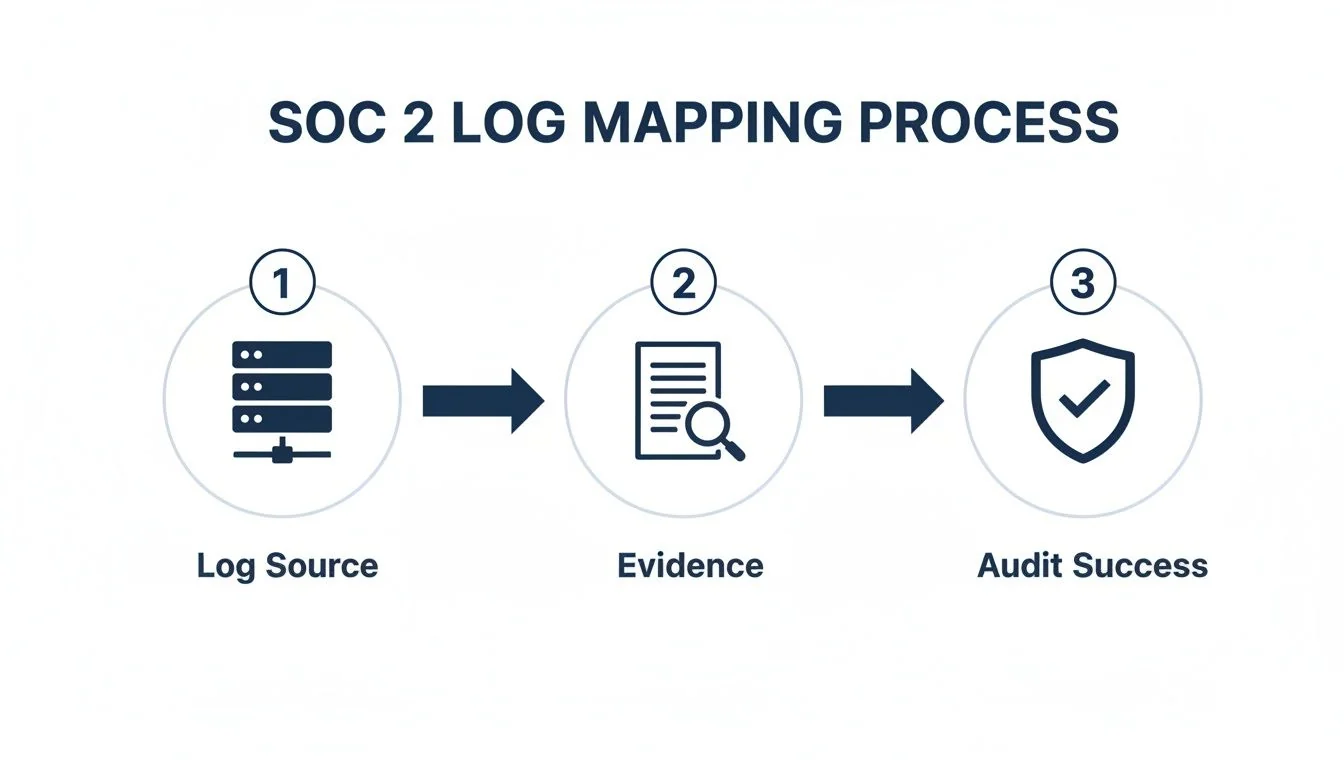
The takeaway here is simple: having logs isn’t enough. You have to systematically use them as verifiable proof that your security controls are doing their job.
Centralizing Log Collection from Critical Sources
First, you must collect logs from every critical component in your infrastructure. Why this matters for SOC 2: An auditor will immediately identify logging gaps as control deficiencies. Blind spots mean you cannot provide a complete picture of system activity, which undermines your ability to detect and investigate security incidents. A comprehensive collection strategy is essential for demonstrating complete oversight.
Your collection strategy needs to cover:
- Operating Systems: Windows Event Viewer and Linux
sysloglogs capture user logins, system errors, and process activity. - Applications: Your application logs track user actions, record transactions, and flag errors that could indicate security risks.
- Network Devices: Firewall, router, and switch logs show traffic patterns, blocked connections, and configuration changes.
- Cloud Services: Logs from services like AWS CloudTrail, Azure Monitor, and Google Cloud Audit Logs are non-negotiable for proving infrastructure integrity.
- Identity Providers: Logs from an IdP like Okta are critical for verifying logical access controls, tracking authentication events, and confirming timely access revocation.
Aggregating and Protecting Log Integrity
Once collected, logs must be sent to a centralized platform like a Security Information and Event Management (SIEM) system. Why this matters for SOC 2: Centralization allows you to correlate events across different systems, which is crucial for incident investigation. More importantly, auditors will scrutinize how you protect log integrity, as this directly relates to the Security and Availability criteria. If logs can be altered, they are worthless as audit evidence.
An auditor’s primary concern with logs is their reliability. If an administrator can alter or delete log files to cover their tracks, the entire audit trail becomes worthless. Immutable storage and strict access controls are how you prove your logs are trustworthy.
To satisfy this, implement these technical safeguards:
- Immutable Storage: Use write-once, read-many (WORM) storage, such as an AWS S3 bucket with Object Lock enabled, to make log alteration or deletion impossible.
- Strict Access Controls: Apply the principle of least privilege. Only a small, designated group should have access to raw log data, and all access to the logging system itself must be logged and monitored.
- Time Synchronization: Ensure all systems are synchronized using the Network Time Protocol (NTP). Consistent timestamps are essential for accurately sequencing events during an investigation.
Establishing Compliant Log Retention Policies
A documented log retention policy is another core SOC 2 requirement. Why this matters for SOC 2: Auditors must verify that you retain logs long enough to support historical investigations and demonstrate that your controls have operated effectively over the entire audit period (typically 6-12 months). A minimum retention period of 12 months is standard. Your policy should be written, approved, and enforced, specifying different retention periods for hot (searchable) and cold (archival) storage as needed. This entire architecture forms the backbone of your evidence for a SOC 2 audit and proves your controls are operating effectively.
Turning Raw Log Data Into Actionable Security Intelligence
Collecting logs is only the first step; SOC 2 requires that you actively use this data to detect and respond to security events. This means creating effective alerting rules and having a documented incident response workflow. Why this matters for SOC 2: Auditors need to see that your SOC 2 logging and monitoring controls are not just passive data collectors but are part of an active defense system. This directly supports CC7.3 (Incident Response) and demonstrates that your security program is operational, not just theoretical.
Creating High-Fidelity Security Alerts
The goal is not to generate thousands of alerts, which leads to “alert fatigue,” but to create high-fidelity alerts that signal genuine security risks. Why this matters for SOC 2: An auditor wants to see evidence of intelligent, risk-based monitoring. Well-configured alerts are proof that your controls are working to identify the very threats your policies are designed to prevent.
Actionable examples that demonstrate effective controls include:
- Multiple Failed Logins: Trigger an alert after 10 failed login attempts from the same IP address in under five minutes to detect a potential brute-force attack.
- Unusual Privilege Escalation: Fire an alert if a user is added to a high-privilege group (e.g., “Domain Admins”) without a corresponding, pre-approved change ticket.
- Sensitive Data Access After Hours: Flag any access to a critical customer database or file share between 10 PM and 6 AM, which could indicate an insider threat or compromised account.
To an auditor, a well-configured alert is a control in action. It’s hard proof you have systems in place to catch the very things your policies are designed to prevent. Just having the logs isn’t enough; you have to show the system is actively watching them.
Building a Documented Incident Response Workflow
Detecting an incident is only the beginning. To satisfy CC7.3 (Incident Response), you must show a documented, repeatable workflow for handling every alert. Why this matters for SOC 2: This workflow proves your team responds to incidents systematically, not reactively. The recent spike in SOC 2 adoption, which helped one cloud provider unlock $20 million in new revenue, is driving organizations to formalize these processes. Given that 62% of small and medium-sized businesses struggle with logging, a clear, documented workflow is a key differentiator for audit success.
Your workflow must have distinct stages an auditor can follow:
- Triage: Initial assessment to determine if an alert is a false positive or a real threat.
- Investigation: In-depth analysis to understand the scope and impact of the incident.
- Containment: Actions to stop the incident from causing further damage, such as isolating a host or disabling an account.
- Eradication & Recovery: Removing the threat and restoring systems to a secure, operational state.
- Post-Mortem Review: A root cause analysis to identify and implement preventative measures.
Creating an Evidence Trail for Auditors
Your documented process is meaningless without a corresponding paper trail. Why this matters for SOC 2: An auditor needs to see tangible evidence that you follow your own procedures. Ticketing systems like Jira or ServiceNow are essential for this. Every alert must generate a ticket that tracks the entire response.
An auditor will request a sample of these tickets, which should include:
- The original alert data.
- Timestamps for each stage of the response.
- Notes and communications from the response team.
- A record of actions taken for containment and remediation.
- Findings from the post-mortem review.
This evidence trail is non-negotiable. It proves your logging and monitoring program is an operational reality, turning data into insight and preventing incidents that used to wake you up at 3 AM. This structured, evidence-backed approach demonstrates the mature security program required to pass your audit.
Common Logging and Monitoring Mistakes to Avoid
Many organizations struggle with SOC 2 logging and monitoring, leading to audit findings that are both costly and time-consuming to remediate. Avoiding common pitfalls is crucial. Why this matters for SOC 2: Auditors are trained to spot these specific weaknesses. Each mistake represents a potential control failure that can jeopardize your audit. Proactively addressing these issues demonstrates a thorough and mature approach to compliance.
Overlooking Critical Log Sources
The most common mistake is incomplete log collection. Teams often focus on infrastructure and OS logs while ignoring high-value application and data-level logs. Why this matters for SOC 2: This creates significant blind spots. An auditor might ask, “How do you monitor for unauthorized access to sensitive customer data within your application?” Without database query logs or application-level audit trails, you have no evidence to offer, which is an immediate control failure.
Ensure you are not missing these key sources:
- Database Activity: Logs showing who queried what data and when.
- Application-Level Actions: Logs of critical user actions like password resets, permission changes, or data exports.
- Third-Party SaaS Tools: Audit logs from core tools like GitHub, Okta, or your CRM.
Creating Unactionable and Noisy Alerts
Another critical failure is an ineffective alerting strategy. Default rules often generate thousands of low-value notifications, leading to “alert fatigue.” Why this matters for SOC 2: When your security team is overwhelmed, they inevitably miss real threats. An auditor will assess the effectiveness of your alerting, not the volume. A noisy system demonstrates a lack of risk-based tuning and is considered an ineffective control. For example, an alert for every failed login is noise; an alert for ten failed logins from one IP in five minutes is an actionable signal of a potential attack.
A SOC 2 auditor doesn’t care about the volume of alerts you generate. They care about the effectiveness of your response. If your team is overwhelmed by noise and can’t show a consistent, documented process for high-priority alerts, the control fails.
Effective alerting is also cost-effective. Audits can start between $91,000 and $186,000, and noisy monitoring leads to expensive remediation. As more reports include Availability (in 75.3% of reports) and Confidentiality (64.4%), the need for intelligent alerting grows. You can discover more insights about these compliance statistics.
Failing to Document Log Reviews
The most easily avoidable mistake is failing to prove that someone is regularly reviewing logs and alerts. Why this matters for SOC 2: This is a core requirement for demonstrating that your controls are operating effectively over time. A lack of a documented review process tells an auditor your program is “set and forget,” not an active, managed process. This is a direct failure to meet monitoring criteria like CC7.1.
The solution is to implement a formal log review procedure with a clear paper trail. This can be as simple as:
- Signed meeting minutes from a weekly security review.
- A Confluence or Notion page summarizing findings and actions taken.
- A recurring Jira ticket confirming the review was completed, by whom, and when.
This documentation is non-negotiable. It provides the evidence that you are actively managing your security posture, bridging the gap between having a technical setup and proving to an auditor that it is an effective, living control.
How to Prepare Your Logging Evidence for a SOC 2 Audit
The final stage is presenting your logging and monitoring evidence to an auditor. This involves curating a comprehensive package that tells a clear story of your control effectiveness.
Why this matters for SOC 2: Getting your logging evidence ready isn’t just about collecting files; it’s about organizing and presenting artifacts that prove your controls were designed appropriately and operated effectively throughout the audit period. A well-prepared evidence package builds auditor trust, simplifies their testing procedures, and directly contributes to a smoother, more successful audit.
Creating Your Auditor-Ready Evidence Package
Think of your auditor as a stakeholder who needs a guided tour of your security program. A well-organized evidence package makes it simple for them to validate each control. Why this matters for SOC 2: An auditor’s goal is to gain reasonable assurance that your controls work. A clean, organized package with clear narratives makes their job easier, reducing follow-up requests and demonstrating the maturity of your compliance program.
Your package must include two types of evidence:
- Technical Artifacts: Direct outputs from your systems.
- Procedural Documents: Records showing human oversight and process adherence.
An auditor’s job is to gain reasonable assurance that your controls work. A clean, organized evidence package with clear narratives for each control cuts through the noise and makes their job easier. That translates directly to a smoother, faster audit for you.
Key Technical Artifacts to Collect
This is the “show me the proof” part of the audit. These artifacts are the direct evidence that your SOC 2 logging and monitoring controls are running.
- SIEM/Log Management Configuration: Screenshots showing that all critical sources (e.g., AWS CloudTrail, firewall logs, database queries) are being ingested.
- Sample Alerts and Investigation Tickets: Select 3-5 security alerts from the audit period and provide the complete evidence trail for each: the initial alert and the corresponding Jira ticket showing the investigation, resolution, and closure.
- Vulnerability Scan Reports: Reports from your vulnerability scanner demonstrating regular scans, along with evidence (e.g., tickets) showing that identified vulnerabilities were tracked and remediated.
- Access Control Lists (ACLs): Screenshots or exports of permissions for your log management system and log archives, proving that access is restricted based on the principle of least privilege.
Essential Procedural Documentation
Procedural evidence proves your security program is a living process managed by humans. Preparing the right SOC 2 documentation is as critical as the technical setup.
- Formal Incident Response Plan: The official, approved document that outlines your step-by-step process for handling security incidents.
- Documented Log Review Meetings: Evidence that logs are being reviewed, such as signed meeting minutes, a Confluence page with notes, or a recurring calendar invite with a summary of discussions.
- Dashboards and Trend Reports: Screenshots of the dashboards your team uses for daily monitoring, plus reports showing key metrics over time (e.g., alert volume, mean time to resolution).
Ultimately, a strong logging and monitoring program, combined with meticulously prepared evidence, is fundamental to SOC 2 audit readiness. This systematic approach proves to your auditor that you have not only implemented the necessary technical controls but also maintain the procedural rigor required to manage them effectively over time, directly satisfying the core requirements of the Trust Services Criteria.
Finding the right auditor is as critical as preparing your evidence. SOC2Auditors is a comparison platform that helps you select the perfect SOC 2 auditor with confidence. We provide verified data on 100+ firms, including real pricing, timelines, and satisfaction scores, so you can make a data-driven decision without the sales calls. Find your auditor at https://soc2auditors.org.