 Menu
Menu

On this page
- Comp AI Pros and Cons for a SOC 2 Program
- What does a Comp AI order actually entitle you to run?
- Which Comp AI evidence still needs an owner?
- Does Comp AI have an MCP server for AI assistants?
- How should you test Comp AI before signing?
- What can a CPA receive from Comp AI?
- How much could Comp AI cost for this deployment?
- What do Comp AI reviews actually tell a SOC 2 buyer?
- Is Comp AI worth it for your SOC 2 program?
Comp AI is a strong shortlist candidate for engineering-led startups whose cloud and SaaS stack matches its connectors and who will use the Slack-guided workflow. It is weaker when pricing must be public, SCIM must be confirmed, the stack is nonstandard, or the buyer expects the platform to replace remediation and the CPA audit.
Most recent source check: .
Compare with: our Vanta review for a managed platform with a larger dated public review sample, or our Drata review for an auditor-workspace-led workflow.
G2's alternatives page for Comp AI, checked September 24, 2026, lists Vanta, Sprinto, Drata, Scrut Automation, Scytale, Secureframe, and other products outside our directory. That list is G2's, not our ranking.
Pros
- Task list and Slack guidance
- Inspectable AGPLv3 core
- Documented self-hosting path
- Daily connected checks
Cons
- Quote-only pricing
- Commercial Enterprise Edition boundary
- Stack-dependent manual evidence
- SCIM provisioning unconfirmed
- Buyer-run self-hosted operations
In our 25 interviews with then-current Comp AI users, published September 11, 2026, 24 gave a self-reported score of at least 4 out of 5 and one gave 1 out of 5; that score came from a complex-stack team whose connectors automated less than expected. These accounts are selected, not representative.
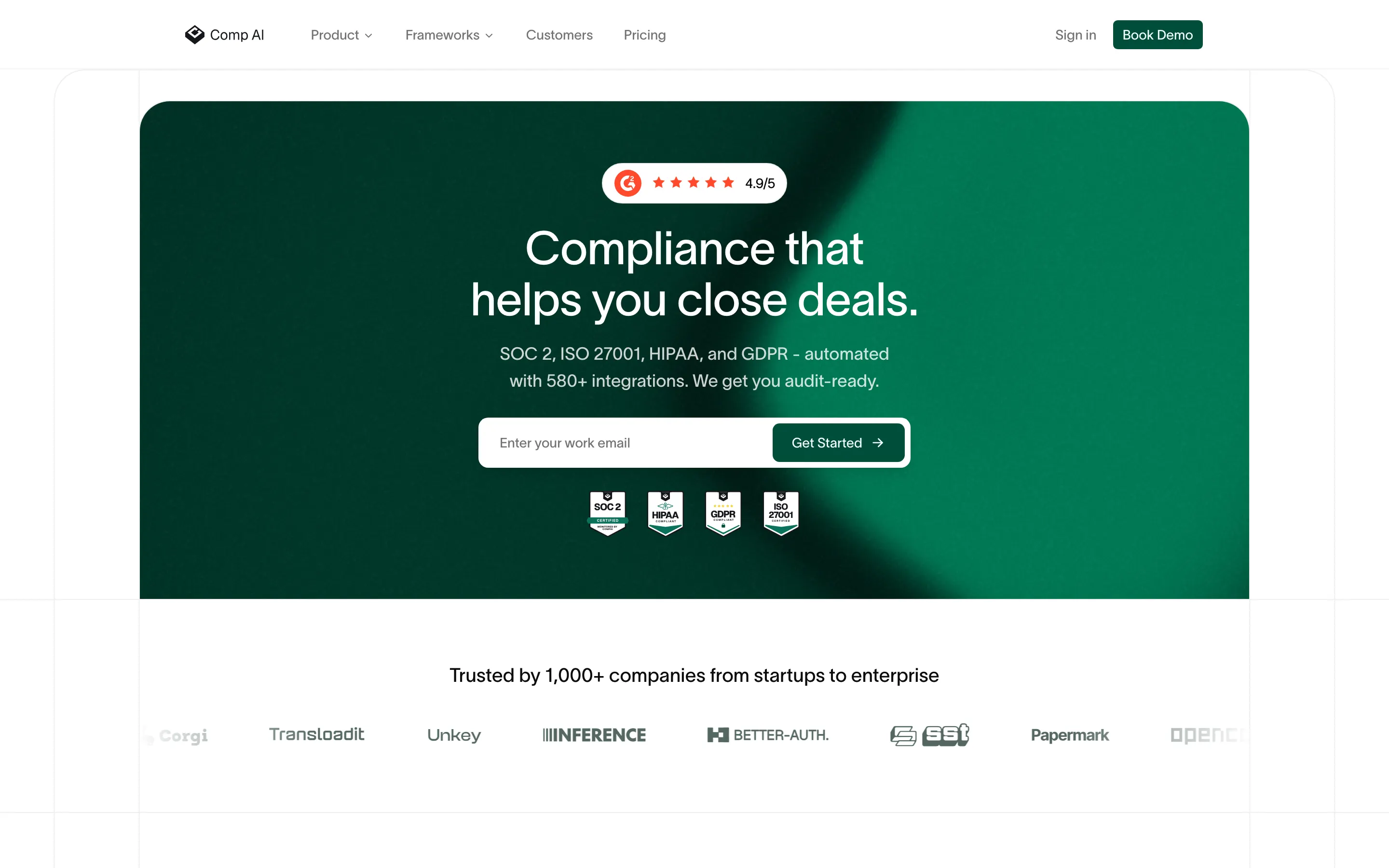
Comp AI is the SOC 2 compliance platform at TryComp.ai, separate from the company’s CRM repository. It organizes controls, policies, tasks, connected evidence, and auditor handoff; see the Comp AI profile for dated product facts. Its public code, commercial Enterprise Edition, and managed service are different buying paths. Confirm which one a proposed order covers. Our guide to the best SOC 2 compliance software by buyer fit shows how it compares with the rest of the field.
Comp AI Pros and Cons for a SOC 2 Program
Comp AI’s appeal is a guided SOC 2 workflow with inspectable core code. Its limits show up when the buyer needs a public price, specific identity controls, or deep automation for an unusual stack. The strengths and limitations below combine public documentation with 25 selected user interviews published in our September 11, 2026 review.
Key Strengths (Pros)
- Slack guidance alongside the software: Comp AI describes one-to-one support from compliance experts. A founder and an agency CEO in our interviews treated that guidance as central to the value; buyers should confirm the support scope in the proposed order.
- A task list people used: A startup COO said, “The best feature isn’t really AI. It’s that I always know what’s complete, what’s missing and what I need to do next.” A product and operations manager used the progress view instead of a separate spreadsheet.
- Inspectable AGPLv3 core: Engineers can examine the public repository, and the Docker guide documents a self-hosting route. The commercially licensed
/eedirectory means core-code access does not establish feature parity with the managed offer. - Scheduled checks for connected systems: Comp AI’s integration guide describes daily connected checks. Ask for a demonstration of the fields, refresh times, and exceptions from your own cloud, identity, HR, and code sources; a catalog listing does not prove evidence depth.
Key Limitations (Cons)
- Quote-only pricing: The pricing page gives no public dollar rate. Its standard terms describe a 12-month minimum and annual renewal; get the current scope, fees, and notice date in the signed order.
- Stack-dependent automation: A head of engineering with a conventional SaaS stack still uploaded some expected evidence. A CEO with complex systems said the connectors automated less than expected and self-scored the experience 1 out of 5. A DevOps engineer also reported occasional sync failures.
- SCIM provisioning remains unconfirmed: Public material reviewed September 25, 2026 did not establish SCIM for the compliance product or a particular edition. Google or Microsoft sign-in is not proof of automated employee provisioning; test your identity lifecycle before buying.
- Policies and exceptions still need people: A VP of engineering edited generic policy language, and a compliance manager wanted more room for unusual controls. Your team still owns access approvals, remediation, manual uploads, and the evidence it gives the auditor.
- Self-hosting and the audit add separate duties: The Docker route puts infrastructure and recovery on the buyer, unless an agreement assigns those tasks elsewhere. Comp AI can organize an auditor handoff, but an independent CPA still conducts and signs the SOC 2 examination.
The interviews identify questions to test, not success rates for future customers. The table shows how their reported experience changed with the buyer’s stack.
| Buyer context | Interview evidence | What to prove on your stack |
|---|---|---|
| Lean team with a conventional SaaS stack | A startup COO valued seeing what was complete and next. A head of engineering said normal SaaS connections were easy, although some expected evidence still needed manual upload. | Connect your actual cloud, code, identity, and HR sources; show the task list and every remaining manual item. |
| Growing team with identity and access-review demands | A head of IT prioritized permissions and employee lifecycle. A CISO wanted a serious proof of concept against identity and evidence sources. | Run a joiner or leaver through the proposed edition, then review access evidence and any SCIM requirement. |
| Complex or nonstandard systems | One CEO reported less connector automation and more internal work than expected, despite responsive support; that respondent self-scored the experience 1 out of 5. | Follow an irreplaceable source through collection, exception, correction, and CPA export before signing. |
Source: 25 SOC2Auditors.org interviews published September 11, 2026, selected rather than representative; individual collection dates were not retained. Each row describes named respondents, not a measured segment average. The full role-labeled interviews appear below.
Other selected respondents reported a setup learning curve or said the risk and vendor-management tools were useful but not a reason to buy. Those reports are historical user accounts, not a new product test or a measure of how often each experience occurs.
Twenty-four of the 25 selected respondents self-scored Comp AI at least 4 out of 5; the complex-stack CEO scored it 1. The distribution makes the outlier visible without turning this selected group into a product average.
What does a Comp AI order actually entitle you to run?
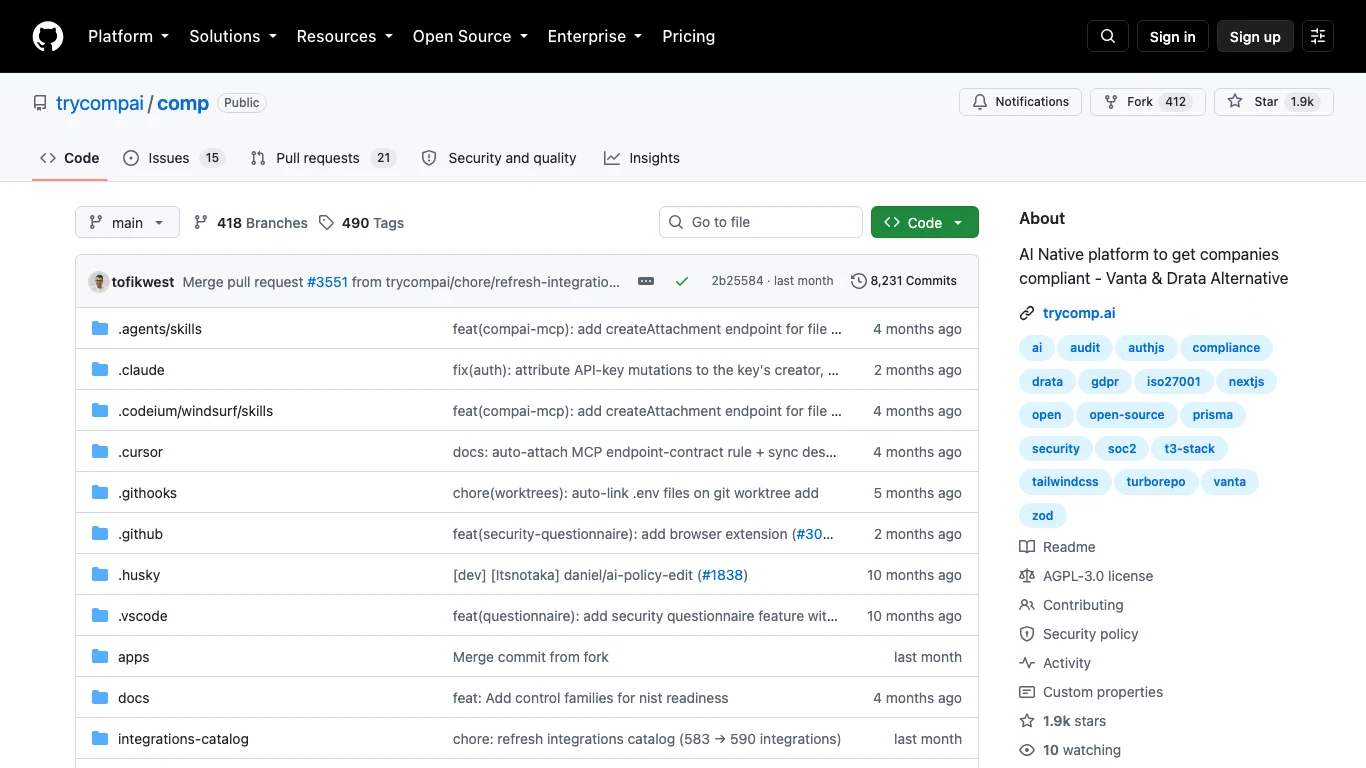
Comp AI’s homepage, checked September 28, 2026, calls the platform “fully open source,” while its repository describes an AGPLv3 core and a commercially licensed /ee Enterprise Edition. The Docker guide documents a deployment path. Those sources establish code and deployment options, but not which functions a managed or self-hosted order includes. Request a written feature and licence schedule for the edition being quoted.
Comp AI’s September 23 public task-automation source, checked September 30, requires enterprise-licensed access for those execution and publishing actions. A self-hosted buyer should confirm that entitlement and its cost. This boundary does not establish that every AI feature or built-in integration check is paid.
| Layer | What the public source establishes | What the buyer must settle |
|---|---|---|
| AGPLv3 core | The repository identifies the core licence and inspectable code. | Which in-scope controls, connectors, roles, and exports run with the core alone? |
| Enterprise Edition | The repository identifies `/ee` as commercially licensed. | Which required functions need a commercial licence, and are they included in this order? |
| Managed cloud | Comp AI offers a guided, quote-based service. | Which functions, support duties, data terms, and exports are included at signature and renewal? |
| Self-hosted deployment | The Docker guide documents a deployable route and its dependencies. | Who owns database, email, background jobs, TLS, backups, monitoring, upgrades, and response? |
Sources: Comp AI repository, Docker guide, and pricing page, checked September 25, 2026. This is a public-source boundary map, not a licence interpretation or an entitlement list for your order.
Self-hosting gives the buyer deployment control and production duties. A managed proposal may move those duties to Comp AI, but the order needs to assign them. Ask the seller to demonstrate the same in-scope control in the proposed cloud or self-hosted edition, then put the entitlement and owner for each step in writing.
The Docker guide calls for an external database, transactional email, background processing, production TLS, and monitoring. Have the operations owner estimate setup, patching, backup tests, access management, and incident response before comparing a self-hosted licence with a managed quote. A smaller software line can still mean a larger operating bill.
Include audit exports, approval roles, and identity-lifecycle controls in the function list. The repository screenshot shows the licence boundary; only the signed order and a matching demonstration can establish what the buyer receives.
Which Comp AI evidence still needs an owner?
Comp AI automates some collection, but the evidence path depends on the source and device. Its homepage describes 24/7 device monitoring and instant failure flags; the Device Agent guide specifies hourly checks, while the integration guide specifies daily scheduled connected checks. These are vendor-documented intervals, not timings we measured in a tenant.
| Evidence source | What the documentation says | Buyer check |
|---|---|---|
| Connected cloud, identity, HR, or code system | Checks can run after connection and on a daily schedule. The documented connected examples are a smaller set than the integration catalog. | Show the exact fields, permissions, last successful run, failed-check owner, and recovery history for your in-scope systems. |
| Company laptop with the Device Agent | Four hourly checks: encryption, antivirus, an enforced eight-character password minimum, and screen lock within 15 minutes. The guide lists macOS 14+, Windows 10+, and Ubuntu 20.04+. | Fail a check on a supported device and inspect the timestamp, alert, correction, and audit history. Confirm what personnel can see about collection. |
| Approved BYOD, contractor, or unsupported device | The manual route attaches screenshots to Secure Devices and Device List tasks with the user's email. | Agree the exception and screenshot cadence with the CPA before the observation period; do not count an upload as an automatic pass. |
Sources: Comp AI integration and Device Agent guides, checked September 24, 2026. The dated software record holds the catalog count. Catalog presence and documented schedules do not prove evidence depth or actual cadence in a buyer's deployment.
In a demonstration, use an in-scope cloud, identity, HR, and code system. Inspect the permissions granted, fields collected, refresh result, and owner of a failed check; then test an item no connector collects. The manual route, review cadence, and audit record matter as much as automation.
Comp AI describes one-to-one Slack support with compliance experts. It is guidance, not proof that the vendor will operate your program. Your company remains responsible for scope, remediation, policy decisions, access approvals, and evidence quality. The CPA determines procedures, samples, exceptions, and the opinion. Ask how the intended audit firm receives exports, asks follow-up questions, and distinguishes current evidence from historical records.
Make the demonstration follow one item all the way through. Start with the original cloud or identity-system record and show the collected fields, timestamp, mapped control, owner review, exception, and export. Then deliberately break the connection or revoke a permission. A useful platform should show who notices the gap, what evidence is missing, and how a corrected item is distinguished from the earlier record. This is more revealing than a clean dashboard: the buyer and CPA will have to explain the exception if it falls in the examination period.
The auditor boundary also changes the purchase. Comp AI says buyers may bring an accredited auditor and documents an auditor role and bulk evidence export. Those facilities can ease handoff, but they do not identify the CPA firm, establish its licence or peer-review status, or set the audit fee. Introduce the intended firm before signing and ask it to inspect a representative export. Agree who answers follow-up requests and where the final evidence record will live if you later change software.
Does Comp AI include SCIM provisioning?
Comp AI’s public material reviewed September 25, 2026 does not establish SCIM provisioning for the compliance product or its inclusion in a particular edition. Employee-portal Google or Microsoft sign-in is not a SCIM proof. If automated joiner, mover, and leaver provisioning is mandatory, require a live demonstration against your identity provider and an explicit order line.
Does Comp AI have an MCP server for AI assistants?
Yes. Comp AI documents a hosted MCP connector that signs in with OAuth, so an assistant such as Claude, ChatGPT or Cursor can work in your account as the signed-in user. Its documentation presents the connector as the recommended path and calls the earlier self-managed npx server deprecated.
The connector documentation, checked October 12, 2026, describes no read-only mode at connect time. The assistant can do what the signed-in user’s role can do in the dashboard, including creating, updating and deleting records. Comp AI does not document whether MCP actions are logged or marked as coming from MCP. We have not tested the connector. Before connecting an assistant to a production account, get a written answer on logging and try it in a test organization with a low-privilege role. Our comparison of compliance platforms’ MCP servers by access shows how other vendors answer the same questions.
Comp AI’s other AI features have a human step in the documentation. Its security questionnaire tool drafts answers from your approved policies and tells you to review them before export, and its policy editor proposes changes as a diff that you apply or dismiss. For its AI-assisted penetration tests, the documentation does not say whether a person approves the work.
How should you test Comp AI before signing?
Run the proof in the edition and deployment model on the proposed order. Keep each resulting artifact and ask the seller to mark any step that needs Enterprise Edition, a service, or manual work:
- Licence and order: Mark each required feature as AGPL core, commercially licensed
/ee, or managed service. Match the list to the order and retain the seller’s written answer. - Same control, proposed deployment: Run one SOC 2 access control from source record through collection, owner review, exception, and export in the exact environment you would buy. Keep the control and export identifiers.
- Failed connector: Revoke a test connector’s permission. Show the missing-evidence alert, owner, last successful collection, recovery record, and what the CPA sees during the gap.
- Collection cadence: For a cloud, identity, HR, and code source in scope, record the actual fields and timestamps. Compare them with Comp AI’s documented daily connected checks; do not infer one cadence for every source.
- Device agent and BYOD: Fail an encryption or screen-lock check on a supported company device, then show its history. For an approved BYOD or unsupported device, follow the documented screenshot route and agree the review cadence with the CPA.
- Manual evidence: Add an artifact that no connector collects. Show who approves it, when it expires, how a replacement is recorded, and what remains in audit history.
- Identity lifecycle: Remove access for a test employee in the source system. Show how Comp AI records the change and whether the proposed package includes the provisioning or review workflow your control requires; get a written answer on SCIM if it is mandatory.
- CPA bulk export: Invite the intended CPA to the documented auditor role. Have the firm request an auditor-only bulk export, inspect a failed check and its correction, and identify any missing definitions or history.
- Self-hosted recovery or managed handoff: If self-hosting, restore a backup and name the owner for database, jobs, TLS, upgrades, and incident response. If managed, obtain the service, support, data-return, and incident terms for the same control’s evidence.
Comp AI’s integration, device-agent, and API documentation describe workflows to test; they do not prove the outcome in your tenant. Complete the proof before signing.
What can a CPA receive from Comp AI?
Comp AI’s API documentation describes an auditor role, finding and revision workflows, and auditor-only bulk evidence export. That gives the CPA a path to inspect material, but does not establish that a particular firm’s procedures, samples, or retention needs are met. Have your intended CPA test the export and request a correction before the observation period. The buyer owns remediation and evidence quality; the independent CPA determines scope, evaluates exceptions, and issues the SOC 2 opinion. Confirm the legal CPA firm and examination fee separately from the platform order; the auditor directory can help build an independent shortlist.
How much could Comp AI cost for this deployment?
Comp AI’s pricing page, checked September 25, 2026, has no public rate card. It says the quote depends on frameworks, headcount, timeline, audit, penetration-testing, and trust-center scope. Its standard terms describe a 12-month minimum and automatic annual renewal unless notice is given; confirm the signed Order Form and notice deadline. Public dollar figures on older articles are not a substitute for the current quote.
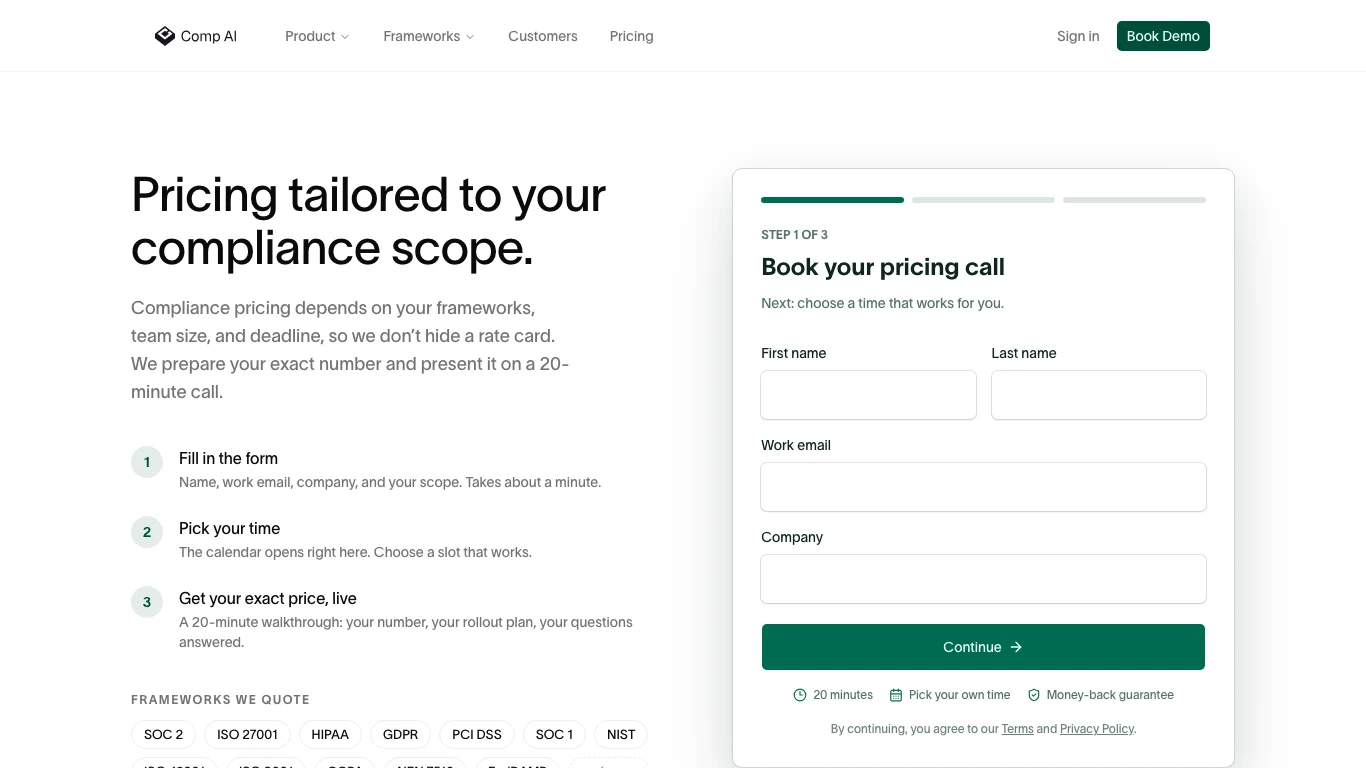
The vendor publishes fast best-case readiness language. It measures audit readiness, not report issuance or a typical project. A Type 2 observation period and CPA process remain separate. Build a schedule from your present evidence, remediation capacity, scope, and audit firm instead of treating a best case as a delivery date.
For a managed proposal, ask which systems, frameworks, onboarding work, expert support, trust-center features, and audit coordination are included. For self-hosting, add infrastructure and staff time, plus any required commercial licence and support. Itemize penetration testing and the independent CPA examination even if the seller can coordinate them. The Comp AI pricing guide holds the detailed commercial comparison.
What do Comp AI reviews actually tell a SOC 2 buyer?
Comp AI’s public rating and our interviews answer different questions. On September 24, 2026, G2 showed Comp AI at 4.7 out of 5 from 73 reviews. It is a dated public signal from the G2 Comp AI listing, not our rating or a connector test. We did not code individual G2 reviews, so that average cannot tell you which praise or complaints are most common.
Comp AI's G2 rating of 4.7 is within 0.2 points of each of the five other platforms we review, and its 73 reviews are the fewest among the six.
Our 25 interviews illustrate task-list value, support, manual work, and identity-stack risk in the quotes below.
Read all 25 historical, selected user interviews; this is not a representative sample
| Role | What they said | Self-reported score |
|---|---|---|
| Founder | This is exactly what I wanted: tell me what I need to do, automate what you can, and help me get SOC 2 without hiring a compliance person. The Slack support is probably as valuable as the software. | 5 |
| Startup CTO | We were under pressure from enterprise prospects to get SOC 2 done quickly. Comp AI turned what looked like a multi-month internal project into a fairly straightforward checklist. Huge time saver. | 5 |
| Technical Founder | For a tiny company it's almost unfair how much leverage you get. Policies, evidence, audit coordination and somebody to ask questions — without buying a giant GRC platform. | 5 |
| Head of Engineering | Connecting the normal SaaS stack was easy and a lot of the evidence appeared automatically. It's much better than screenshots and spreadsheets, although I still had to manually provide a few things I expected it to collect. | 4.5 |
| Startup COO | The best feature isn't really AI. It's that I always know what's complete, what's missing and what I need to do next. Compliance finally feels like a project we can actually manage. | 5 |
| Bootstrapped CEO | Very good value compared with the bigger names. We cared about getting certified, not building a massive compliance department, and it got us there. | 5 |
| Security Lead | Good automation and surprisingly hands-on service. I wouldn't call compliance completely automated — you still need someone internally who understands the evidence — but it removes a lot of the repetitive work. | 4.5 |
| DevOps Engineer | The cloud and developer-tool integrations are the part I care about. When they work, evidence collection is excellent. Occasionally something doesn't sync correctly and then you're back to troubleshooting or manual evidence. | 4.5 |
| Solo Founder | I was expecting SOC 2 to consume my life. It didn't. I could mostly follow the tasks myself and ping them in Slack when I got stuck. | 5 |
| VP Engineering | It significantly reduced the amount of engineering time we had to burn on compliance. Policies needed tweaking because some of the generated language was generic, but that's a small complaint. | 5 |
| Compliance Manager | It does a good job centralizing policies, controls, risks and evidence. Framework mapping saves work when you're pursuing more than one certification. I'd like deeper customization for unusual controls. | 4.5 |
| Healthtech CTO | Being able to work on SOC 2 plus HIPAA in one system is useful. The support team understands what a startup actually needs rather than making us implement enterprise bureaucracy for its own sake. | 5 |
| Engineer / Compliance Owner | The UI is cleaner than I expected from compliance software. I can usually understand why something is failing and what I need to fix instead of staring at an auditor spreadsheet. | 5 |
| Operations Lead | The initial setup took some learning. Once I understood controls, evidence and how the workflow is structured, day-to-day use became easy. A better guided onboarding would help. | 4 |
| Founder (migrating) | The big win was simplicity. Our previous system had lots of bells and whistles but still felt like work. Comp AI feels much more focused on getting the certification done. | 5 |
| Agency CEO | We aren't security experts, so having people available through Slack made all the difference. The software alone would have been useful, but software plus responsive support is what made it work. | 5 |
| Security Engineer | I like that there's an open-source component and I can understand more of what the system is doing. That's unusual in this category. I'd still like the ecosystem and documentation to mature. | 4.5 |
| COO | We went from “we really need SOC 2 someday” to actually moving through the audit. That's the strongest endorsement I can give. It converts compliance anxiety into concrete tasks. | 5 |
| GRC / Risk Manager | Risk and vendor management are useful, but they aren't yet the reason I'd buy it. The core compliance workflow is stronger than some of the deeper GRC functionality. | 4 |
| Product/Ops Manager | The progress view is excellent. I can see what is outstanding and chase the right person instead of maintaining my own spreadsheet. Some advanced screens could explain themselves better. | 4.5 |
| Head of IT | Generally very good. The automated checks save us work, although at our size I care more about permissions, employee lifecycle, access reviews and integrations being bulletproof than a 10-person startup does. | 4 |
| CISO | I like the direction and the team is responsive. For straightforward SOC 2 it's compelling. For a larger environment I'd run a serious proof of concept against our identity stack and evidence sources before committing. | 4.5 |
| Compliance Consultant | For startups that just need to get through SOC 2 or ISO efficiently, I can recommend it. It strips away a lot of unnecessary complexity. Very sophisticated clients will still want more granular workflow control. | 4.5 |
| Mid-market CTO | The platform is good, but expectations matter. “Automated evidence collection” doesn't mean you'll never upload evidence manually. If your stack is standard, it's great; edge cases take more work. | 4 |
| Complex-stack CEO | Our experience was rough. Connectors didn't automate nearly as much as expected, the evidence workflow caused problems, and we spent much more internal time than we were led to believe. Support was responsive, but I bought the product so my team wouldn't have to fight the tooling. | 1 |
Same interview scope as the stack-fit note.
Is Comp AI legitimate?
Comp AI has a public code repository, current product documentation, a pricing-call path, and dated product reviews. Those establish an active product, but not whether a particular edition, connector, or auditor handoff will work for your company. The stack and export proof above are the buying test.
Ask a customer reference which connector or control stayed manual, how a failed collection was resolved, and what the auditor requested after the initial export. Match that reference’s stack and deployment model to yours; a high public star average cannot answer those questions.
Is Comp AI worth it for your SOC 2 program?
Comp AI is worth shortlisting when its task workflow and guided support fit your team, its connectors prove the controls you need, and code inspection or deployment control adds value. Use the nine proof steps to decide whether the proposed edition earns its quote. If those conditions do not hold, compare a managed alternative on the same source-to-CPA evidence path.
| Buying situation | Shortlist direction | Reason to test |
|---|---|---|
| Need an inspectable compliance core, guided help, and vendor-run production | Managed Comp AI | Match the cloud demo, commercial entitlements, support duties, and CPA export to the signed order. |
| Must control deployment and have staff to run the documented dependencies | Self-hosted Comp AI | Prove the required functions under the quoted licence and budget operations and recovery work. |
| Want a managed platform without a code or deployment-control requirement | Vanta or Drata | Compare the same source-to-CPA evidence path and total proposal. Comp AI vs Vanta covers licence entitlements, audit bundles and export duties. |
This compares operating models, not verified feature parity. Comp AI's licence statement and deployment guide were checked September 25, 2026; the commercial order and tenant proof remain buyer-specific.
The demonstration should leave you with an entitlement schedule, an owner for each failed or manual control, a CPA-tested export, and an itemized cost for the chosen deployment.
For more category choices beyond this shortlist, use the SOC 2 software buyer’s guide or compare SOC 2 compliance software directly.
More in Compliance Tools